I used to dread opening my monthly electric bill. Living in Illinois, summers can be brutal on the air conditioning, and winters aren’t much kinder to the heating system. That started to change when I started diving into smart home energy monitoring tools.
The numbers don’t lie. Most homeowners can realistically cut their energy bills by 15-25% with the right monitoring setup and some smart automation. I’ve seen it work in my own home, and the data backs it up across thousands of households. Studies consistently show that smart home technologies reduce general energy use by 15-25%, with some homeowners achieving even greater savings.
Smart home energy monitoring isn’t just about watching numbers on an app. It’s about understanding where your energy actually goes and making informed decisions about usage patterns. When you can see that your old basement fridge is costing you $40 a month or that your water heater is cycling way more than it should, you can actually do something about it.
What Smart Home Energy Monitoring Actually Does
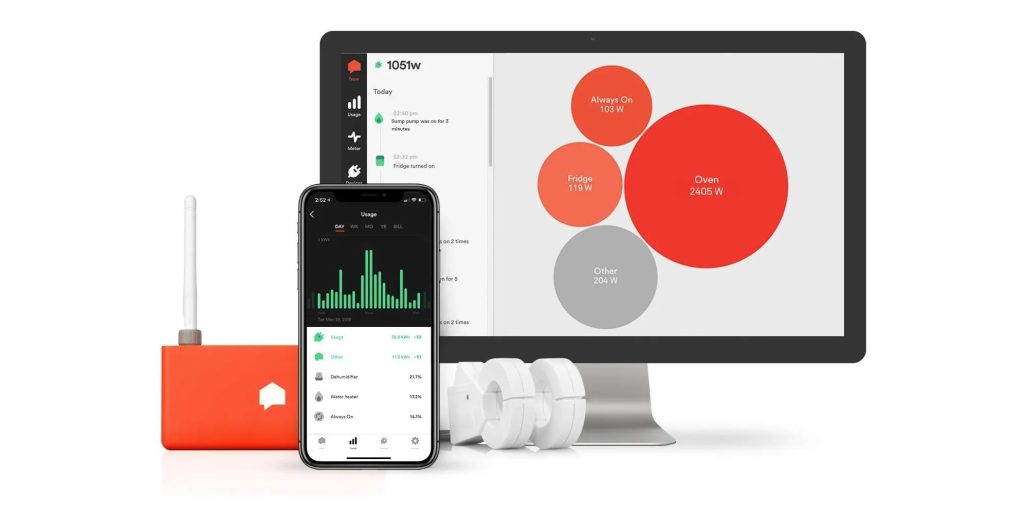
Think of energy monitoring as getting x-ray vision for your electric usage. Instead of getting one big number at the end of the month, you see real-time data about which devices are energy hogs and when your home uses the most power.
The basic setup involves a monitoring device that connects to your electrical panel, plus sensors that track individual circuits or devices. Everything feeds into an app where you can see what’s happening right now and track patterns over time.
While most energy monitoring systems don’t integrate directly with HomeKit setup we rely on —yet— the data they provide becomes incredibly valuable for making manual adjustments and planning automated routines based on time-of-use rates and consumption patterns.
More Articles:
The Real Math Behind Energy Savings
Let’s talk actual numbers because that’s what matters. The average household spends about $125 monthly on electricity, or $1,500 annually. Studies consistently show that homes with smart energy monitoring reduce consumption by 15-25%.
For a typical household spending $1,500 per year, a 20% reduction saves $300 annually. Quality whole-home monitoring systems run $200-400, so you’re looking at payback in 12-18 months. After that, it’s pure savings. One Canadian study found homes with energy monitors decreasing electricity usage by up to 15%, and by about 7% on average, while Sense reports that its users reduce their bills by about 8%.
But here’s what most people miss about the ROI calculation. Energy prices keep going up. That $300 you save this year becomes $320 next year and $340 the year after. The savings compound.
I’ve also found that energy monitoring prevents expensive surprises. When our HVAC system started drawing 20% more power than usual, we caught it early and fixed a refrigerant leak for $200 instead of replacing the whole unit for $8,000.
The monitoring data is also invaluable if you’re considering solar panels. Understanding your actual usage patterns helps size the system correctly and maximize the financial benefits.
Energy Saving Smart Devices That Actually Work
Not all energy saving devices deliver meaningful results, but a few categories make a real difference. Smart thermostats top the list, and I’m a big fan of ecobee products. We’ve used their thermostats in our HomeKit setup for years.
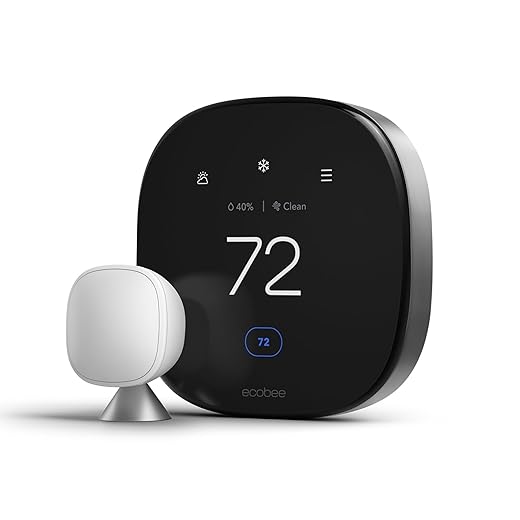
The ecobee SmartThermostat with room sensors has probably saved us more money than any other single device. Instead of heating or cooling the whole house based on one location, it uses occupancy sensors to focus on rooms people actually use. The energy savings are immediately noticeable on the bill. According to the EPA’s Energy Star program, smart thermostats save users an average of 8% on their utility bills, while Nest’s real-world studies found customers saved an average of 12% on heating bills and 15% on cooling bills.
Smart water heaters are another big opportunity. Water heating typically accounts for 15-20% of energy usage, and smart controllers can reduce that by 10-15% through better scheduling and temperature management. They learn your usage patterns and make sure hot water is ready when you need it without maintaining high temperatures constantly. Research shows that smart heaters with programmable thermostats can help save up to 20% on energy bills.
For lighting, I’ve found that smart switches work better than smart bulbs for energy savings. Occupancy sensors automatically turn lights off in unoccupied rooms, which adds up faster than you’d expect. Philips Hue bulbs are great for ambiance and integration with HomeKit, but basic smart switches handle the heavy lifting for energy savings.
Smart plugs with energy monitoring give you an affordable way to tackle phantom loads. Electronics and appliances that stay plugged in constantly often draw power even when “off.” Smart outlets can completely cut power to these devices when not in use. Studies indicate that by cutting standby power to devices when not in use, smart plugs can save the average home about 5-10% on electricity bills, and experts estimate that standby power waste accounts for 5-10% of total household energy consumption.
Integrating with HomeKit and Your Existing Setup
This is where energy monitoring gets really powerful. HomeKit provides the foundation for intelligent automation, though I’ll be honest about its current limitations when it comes to energy monitoring.
Right now, HomeKit’s native energy monitoring options are pretty limited. You can use Eve Energy smart plugs to track individual devices and set up basic automations, but HomeKit doesn’t let you automate based on time-of-use utility rates or peak demand periods without some serious workarounds. You’d need to dive into Homebridge, Home Assistant, or create complex Shortcuts to make that happen, and frankly, that gets messy fast for most of us.
That said, Matter compatibility is starting to change things. As more energy monitoring devices adopt Matter standards, we should see better integration with HomeKit in the future. For now, you can still create useful automations with what’s available.
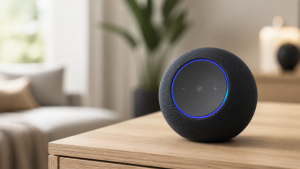
The Amazon Echo Show 21 in our kitchen is actually more useful for energy monitoring than HomeKit right now. It can display real-time dashboards from systems like Sense, making it easy to check consumption while cooking or planning the day.
Smart scenes still work great for energy savings, even without direct utility rate integration. Our “leaving home” scene sets thermostats to away mode, turns off non-essential devices through Eve smart plugs, and ensures we’re not wasting energy when nobody’s around.
The Amazon Air Quality Monitor doesn’t directly integrate with HomeKit for HVAC control, but you can use it alongside your ecobee thermostat’s built-in air quality features to optimize ventilation manually based on readings.
Honestly, true utility demand response automation through HomeKit isn’t really there yet. Most programs require dedicated devices or third-party platforms. But as Matter adoption grows and Apple expands HomeKit’s capabilities, I expect this to improve significantly.


Choosing the Right Energy Monitoring System
The monitoring system you choose depends on how deep you want to go and your technical comfort level. Whole-home monitors like the Sense Energy Monitor provide the most comprehensive view by connecting directly to your electrical panel.
Sense is particularly impressive because it can identify individual devices based on their electrical signatures. You don’t need separate sensors for each appliance; the system learns to recognize your dishwasher, microwave, and other devices automatically. While it doesn’t have direct HomeKit integration, the insights it provides are incredibly valuable for understanding your energy usage patterns.
Circuit-level monitors offer a middle ground. The Emporia Vue tracks consumption by individual electrical circuits, which works well for identifying which areas of your home use the most energy. Installation is more straightforward than whole-home systems but provides detailed insights.
For a more gradual approach, smart plugs and individual device monitors allow you to track specific devices or problem areas. This works well if you want to start small and expand monitoring over time as you identify opportunities. Eve Energy smart plugs work great with HomeKit for this approach.
Professional installation is usually required for systems that connect to electrical panels. While this adds to upfront costs, it ensures safety and optimal performance. Most electricians are familiar with these systems now.



Smart Thermostat Integration and HVAC Optimization
HVAC systems account for 40-50% of energy usage in most homes, making smart thermostat integration crucial for meaningful savings. The ecobee SmartThermostat excels here with room sensors, occupancy detection, and learning capabilities. For context, the Department of Energy estimates that you can save as much as 10% on your heating and cooling bills by setting your thermostat back 7° to 10°F for 8 hours a day.
Smart thermostats integrate beautifully with HomeKit, allowing you to create automated scenes and schedules. While you can’t directly automate based on real-time energy costs without workarounds, you can use time-based automations during known peak rate periods to reduce consumption.
Room sensors prevent the common problem of heating or cooling unoccupied spaces. The ecobee system ignores temperatures in unused rooms while focusing on areas where people actually are, which can reduce HVAC energy consumption by 15-20%. Project Drawdown research indicates that smart thermostats save 10-15% of energy needs overall while improving comfort and convenience.
Smart thermostats also provide early warning about HVAC system problems. Sudden increases in runtime or energy consumption often indicate issues like dirty filters, refrigerant leaks, or failing components. Catching problems early allows for preventive maintenance instead of emergency repairs.
Geofencing ensures your HVAC system adjusts automatically based on occupancy. When the last person leaves for work, the system switches to energy-saving modes without manual intervention. It pre-conditions the home before anyone returns.


Advanced Strategies for Maximum Savings
Beyond basic monitoring, you can maximize energy savings through intelligent planning and manual coordination based on the data you collect. Load shifting moves energy-intensive tasks to off-peak hours when rates are lower.
Water heating provides an excellent example. Smart controllers can heat water during cheap overnight hours, storing thermal energy for use during expensive peak periods. Combined with usage monitoring data, you can manually schedule these systems to ensure adequate hot water while minimizing costs.
Based on your energy monitoring data, you can manually coordinate high-draw devices to avoid operating them simultaneously. If your EV is charging and you want to run the clothes dryer, you can delay one operation to prevent demand spikes that trigger higher rate tiers.
Weather-based planning using forecast data can optimize energy usage. Before hot days, you can pre-cool your home using cheaper overnight rates, then maintain temperature with minimal energy during expensive peak hours.
Real Examples and Success Stories
My neighbor installed a Sense monitor after her summer electric bill hit $420. The monitoring revealed her 15-year-old central air was cycling inefficiently and consuming 40% more energy than expected. After upgrading to a smart thermostat with zoning and implementing manual scheduling based on the data, her average summer bills dropped to $290.
Another friend discovered through energy monitoring that his electric water heater was the home’s second-largest energy consumer. A smart controller that he manually programmed to shift heating to off-peak hours reduced water heating costs by 35%. The $280 investment paid for itself in seven months.
These examples show that energy monitoring systems typically pay for themselves within 12-18 months, with ongoing savings continuing for years. The key is acting on the insights rather than just collecting data.
Getting Started Without Breaking the Bank
You don’t need to install a comprehensive system all at once. Start by identifying your biggest energy consumers through utility bill analysis or simple monitoring devices.
If you don’t have a smart thermostat yet, that’s usually the best first investment. The ecobee SmartThermostat provides immediate energy savings while integrating perfectly with HomeKit. This gives you a foundation for broader smart home integration as you expand.
Eve Energy smart plugs offer an affordable way to track specific devices and eliminate phantom loads while maintaining HomeKit compatibility. Start with electronics, entertainment systems, and other always-on devices. The data helps prioritize future investments.
Many utility companies offer rebates for smart thermostats, water heater controllers, and whole-home monitoring systems. Check available programs before making purchases to reduce upfront costs.
Professional energy audits, sometimes free through utility programs, provide baseline data for measuring improvements. These audits identify the most promising opportunities and help prioritize investments for maximum impact.
What I’ve Learned From Two Years of Energy Monitoring
After running various energy monitoring systems for over two years, the biggest surprise was how much small changes add up. Phantom loads from electronics, inefficient scheduling of major appliances, and heating or cooling unoccupied spaces waste more energy than you’d expect.
The data changed how we think about energy usage. Instead of just accepting high bills, we now see energy consumption as something we can actively control and optimize, even if some of that optimization requires manual intervention rather than full automation.
Smart home energy monitoring transforms your relationship with electricity usage. Instead of dreading monthly bills, you gain visibility and control that leads to meaningful savings. Start with a smart thermostat and some smart plugs, then expand as you see results and identify opportunities.
Your energy bills don’t have to be a constant source of stress or as something that cannot be improved upon. With the right monitoring and smart planning, you can optimize consumption, reduce costs, and create a more efficient home that works intelligently while you focus on what matters most.
The Payback Math, Device by Device
People ask which device to buy first, and the honest answer is the one that pays for itself fastest in your house. Here is how the usual suspects stack up for a typical home, based on street prices and the savings ranges I keep seeing in real-world reports.
| Device | Typical Cost | Yearly Savings | Pays for Itself In |
|---|---|---|---|
| Amazon Smart Thermostat | ~$80 | $100–$150 | ~8 months |
| Smart plug 4-pack (Kasa) | ~$30 | $50–$80 | ~5 months |
| ecobee Smart Thermostat Premium | ~$250 | $180–$250 | ~14 months |
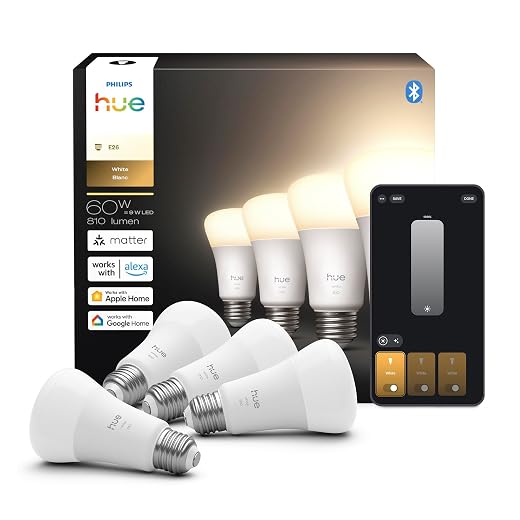
| Hue White starter kit | ~$70 | $40–$60 | ~16 months |
| Sense whole-home monitor | ~$300 | $100–$150 | ~24 months |
Notice the budget thermostat near the top. It lacks the ecobee’s room sensors and polish, but for pure bang-for-buck it is hard to argue with, and HVAC is half your bill either way.
Stack a few of these and the first-year math gets interesting. For a household spending around $2,000 a year on energy: a smart thermostat returns roughly $160 to $200, plugs on the phantom-load offenders another $50 to $80, LED smart bulbs $30 to $50, and the behavioral changes that come from simply seeing your usage tend to add $80 to $120 more. That lands between $320 and $450 in year one, a 16 to 22 percent reduction, without touching the furnace or the insulation.
Frequently Asked Questions:
A: Most homeowners see 15-25% reduction in their energy bills, with the average household saving around $300 annually. Your actual savings depend on your current usage patterns, local energy rates, and how actively you use the monitoring data to make changes. In my experience, even small adjustments based on the data can add up to significant savings over time.
A: Yes, systems like the Sense Energy Monitor require professional installation since they connect directly to your electrical panel. This typically costs $150-300 but ensures safety and proper setup. However, you can start with smart plugs like Eve Energy that plug into regular outlets and don’t require any installation.
A: It depends on your platform. If you’re using HomeKit like we do, options are currently limited – Eve Energy smart plugs work great, and smart thermostats like ecobee integrate perfectly. Most whole-home monitors (Sense, Emporia Vue) don’t integrate directly with HomeKit yet, but Matter compatibility is improving this situation.
A: You’ll see immediate insights about your usage patterns, but meaningful savings typically develop over 2-3 months as you identify problem areas and adjust behaviors. The monitoring systems themselves usually pay for themselves within 12-18 months through the savings they help you achieve.
A: Absolutely. EPA data shows smart thermostats save an average of 8% on utility bills, while Nest’s studies found 12% heating and 15% cooling savings. Our ecobee SmartThermostat with room sensors has been our biggest energy saver – the ability to focus heating and cooling on occupied rooms makes a noticeable difference on the monthly bill.
A: Whole-home monitors like Sense connect to your main electrical panel and can identify individual devices automatically. Circuit-level monitors like Emporia Vue track groups of outlets and hardwired devices by electrical circuit. Whole-home gives more detail but costs more, while circuit-level is easier to install and still provides valuable insights.
A: No, start with your biggest energy users first. Focus on HVAC (usually 40-50% of usage), water heating (15-20%), and any always-on devices. You can begin with just a smart thermostat and a few smart plugs on electronics, then expand based on what you learn from the initial data.
Related Guides
Want to go further with smart home energy savings? These guides complement your monitoring setup:
- How to Improve Home Energy Efficiency with Smart Devices — the full picture beyond monitoring
- Best Smart Thermostat for Energy Savings (2026) — your biggest single savings lever
- Best Smart Home System for Apple HomeKit — if you’re in the Apple ecosystem
- Smart Home Setup for Beginners: $500 Starter Guide
- How to Automate Old Appliances Without Replacing Them — smart plugs for energy monitoring on legacy devices