Let me tell you what nobody in the smart home advice business wants to admit. Half the “best smart home system for Apple HomeKit 2026” lists out there are written by people who have never actually lived with this stuff. They’ve never stood in a cold kitchen at 6:30 AM, whispering “Hey Siri, turn on the coffee maker” while a teenager sleeps ten feet away, only to have nothing happen because their Wi-Fi bridge firmware updated itself overnight.
I have. Many times.
So here’s what I’ve actually learned after years of building out a HomeKit setup in my old house in the western Chicago suburbs, spending money I probably shouldn’t have spent, and returning products that deserved to be returned. This guide covers the best smart home systems, hubs, and devices that genuinely work with Apple HomeKit in 2026. The stuff that survived my house. The stuff I’d buy again.
Table of Contents
- Why HomeKit Still Matters When Everyone Wants You to Buy Everything
- The Foundation: What You Actually Need Before Buying Anything
- The Best Smart Home Systems for Apple HomeKit in 2026
- The Honest Comparison Table Nobody Asked For
- Building Your Setup Without Selling a Kidney
- Mistakes I Made So You Don’t Have To
- Frequently Asked Questions
- Final Verdict and Where to Start
Why HomeKit Still Matters When Everyone Wants You to Buy Everything
There’s a certain segment of the tech press that’s been writing HomeKit’s obituary since roughly 2018. “Too restrictive.” “Not enough devices.” “Alexa has more skills.” And look, some of those critiques had teeth. For years, finding HomeKit-compatible devices felt like shopping at a grocery store where half the shelves were empty and the other half were overpriced.
That era is over.
Matter changed things. Not overnight, and not without its own comedy of errors during the rollout, but by 2026 the protocol has matured enough that most major smart home manufacturers support it. And since Apple baked Matter support directly into HomeKit, the old complaint about limited device selection has largely evaporated. You can now walk into a store, grab almost any Matter-certified device, and it will show up in your Apple Home app like it was born there.
But here’s the real reason I stick with HomeKit, and it has nothing to do with brand loyalty. Privacy. Apple doesn’t sell your data to advertisers. HomeKit Secure Video encrypts your camera footage end-to-end before it touches iCloud. Siri processes most requests locally on your device. In a world where your smart thermostat’s parent company wants to know when you leave for work so it can sell that information to insurance companies, Apple’s approach isn’t just a feature. It’s a goddamn lifeline.
The Foundation: What You Actually Need Before Buying Anything
Before you spend a dime on smart bulbs or sensors, you need two things. An iPhone (which you presumably have if you’re reading this) and a home hub. The home hub is the piece that makes everything work when you’re not home, and it’s what runs your automations. In 2026, your options are:
Apple TV 4K (3rd generation or newer) or any HomePod, including the HomePod mini. That’s it. The iPad no longer serves as a home hub. Apple killed that functionality, which was annoying but honestly, it was always unreliable anyway. My old iPad used to lose its hub connection every time my daughter commandeered it to watch YouTube.
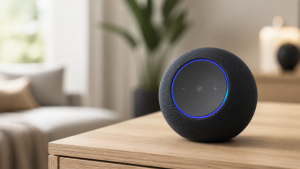
My recommendation? Start with a HomePod mini. It’s cheap, it’s a decent speaker, and it doubles as a Thread border router, which means your Thread-enabled devices (Eve, Nanoleaf, newer Aqara products) form their own mesh network that doesn’t clog your Wi-Fi. If you already have an Apple TV, you’re already set.
You also need a halfway decent Wi-Fi network. Not “enterprise grade,” just stable. If your router is the one your ISP gave you for free in 2019 and it drops connection every time someone microwaves popcorn, fix that first. No smart home system on earth can overcome a trash network.
The Best Smart Home Systems for Apple HomeKit in 2026
I’m using “system” loosely here, because the beauty of HomeKit is that you don’t need to lock yourself into one manufacturer’s walled garden. You can mix and match. But certain hubs and device families form the backbone of a great setup, and those are what I’m recommending. These are products I’ve used, tested, lived with, cursed at occasionally, and ultimately kept.
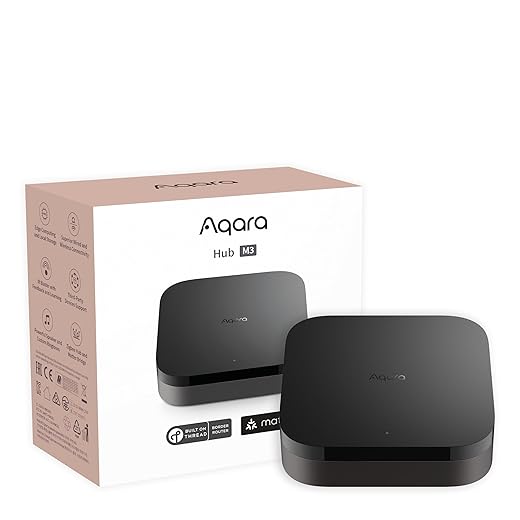
1. Aqara M3 Hub — Best Central Hub for Whole-Home HomeKit Control
If you want one device that ties the most things together for the least money, the Aqara M3 hub is the answer I keep coming back to. It supports Zigbee 3.0, Thread, Matter, Bluetooth, and infrared, which means it can talk to an absurd range of devices, from Aqara’s own dirt-cheap sensors to third-party Matter products. It connects to HomeKit natively, so everything it manages shows up in the Apple Home app.
The M3 replaced the older M2 in my setup about eight months ago, and the difference in responsiveness was immediately noticeable. Zigbee commands that used to take a beat now fire almost instantly. The hub also acts as a Thread border router, so it strengthens the same mesh network your HomePod mini is running. Aqara’s own app gives you more granular automation options than Apple’s Home app, but you don’t need it for basic operation. The hardware is a small, quiet puck that sits on a shelf and just works. The app could use some UI polish, but functionally, it’s solid.
✅ Best for: Homeowners who want a comprehensive sensor and device network throughout their house without spending a fortune on each piece.
⚠️ Keep in mind: The Aqara app’s interface is functional but not beautiful. Power users will love the automation depth. Casual users might find it cluttered at first.
💰 Price range: $59–$79 for the hub alone.
2. Apple HomePod Mini — Best HomeKit Hub and Voice Control Starter
I know, I know. Recommending an Apple product in an Apple HomeKit guide feels about as daring as recommending water at a hydration conference. But the HomePod mini genuinely earns its spot here. It’s a home hub, a Thread border router, a temperature and humidity sensor, and a surprisingly competent little speaker for the price. Put one on each floor of your house and you’ve got whole-home Siri access, a Thread mesh that blankets your space, and a home hub with redundancy built in.
The sound quality is not going to replace a proper stereo. Let’s be honest about that. But for kitchen music, podcast listening, and barking voice commands at Siri while your hands are full of groceries, it’s more than adequate. And as a home hub, it’s been rock-solid for me. Far more reliable than the old iPad hub setup ever was.
✅ Best for: Anyone starting their HomeKit journey who needs a home hub and voice control in one affordable package.
⚠️ Keep in mind: Siri is still Siri. She’s improved, but she will still occasionally misunderstand “turn off the hallway light” as “play Highway to Hell.” It builds character.
💰 Price range: $89–$99.

3. Lutron Caséta Diva Smart Dimmer — Best Smart Lighting Foundation
I will die on this hill. Lutron Caséta is the best smart lighting system for HomeKit, and it’s not particularly close. While everyone else is trying to sell you individual smart bulbs at $15 a pop (which means replacing them every few years when the company “sunsets” support), Lutron gives you smart switches and dimmers that control whatever dumb bulbs you already have. Your lights work like normal lights when your internet goes down. Your guests don’t need an app to flip a switch. It just works like a house should work, except now you can also automate everything.
The Caséta system uses its own proprietary wireless protocol called Clear Connect, which means it doesn’t compete with your Wi-Fi for bandwidth. You need the Lutron Smart Bridge to connect to HomeKit, which is an extra purchase, but it’s a one-time cost that supports up to 75 devices. The Diva style dimmer is the newest and best-looking option, a significant upgrade from the older Caséta paddle switches. Installation requires a neutral wire in most configurations, and if your house is as old as mine, checking for neutral wires is an adventure in itself.
✅ Best for: Homeowners who want bulletproof smart lighting that still works as normal switches, and who plan to scale their lighting control over time.
⚠️ Keep in mind: The Lutron Smart Bridge is required and sold separately ($80–$100). The per-switch cost is higher than cheap Wi-Fi switches, but the reliability gap is enormous.
💰 Price range: $65–$85 per dimmer switch. Smart Bridge: $80–$100.

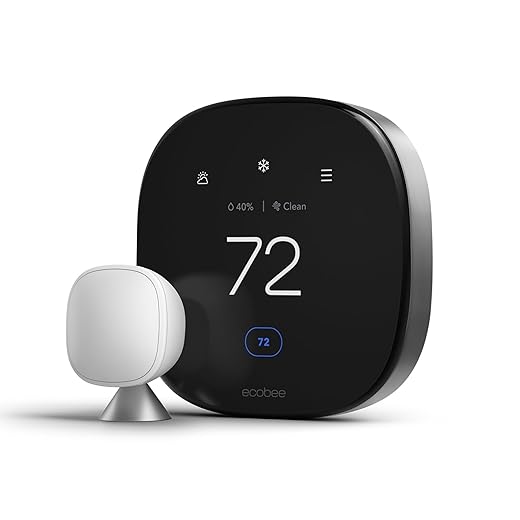
4. Ecobee Smart Thermostat Premium — Best HomeKit Thermostat
The thermostat is where smart home tech pays for itself. Not in some abstract “isn’t the future neat” way, but in actual dollars you don’t send to the gas company. The Ecobee Smart Thermostat Premium has been on my wall for over a year, and it’s the single device that has most obviously reduced my energy bills. It comes with a remote room sensor, supports HomeKit natively, and has a built-in air quality monitor and smart speaker (which I never use, but it’s there).
What I like most is the occupancy-based scheduling. The thermostat and its sensors detect when rooms are actually being used and adjust accordingly. My teenagers’ bedrooms don’t get heated to 72 degrees when they’re at school. The system just figures it out. It connects to HomeKit over Wi-Fi, so no additional hub is needed. The touchscreen display is clean and readable, and the install took me about 45 minutes with help from the in-app wiring guide.
✅ Best for: Homeowners with forced air HVAC systems who want real energy savings and HomeKit integration without fuss.
⚠️ Keep in mind: The built-in Alexa/speaker functionality is mediocre. Treat it as a thermostat that happens to have a microphone, not a smart speaker that happens to control temperature.
💰 Price range: $219–$249.
5. Eve Energy Smart Plug — Best Privacy-First Smart Plug
Eve has been the quiet overachiever of the HomeKit world for years, and the Eve Energy smart plug is the product that best represents what they do well. It connects via Thread, which means no cloud account, no cloud dependency, no manufacturer server that can go offline and brick your device. Your data stays in your house. For someone who’s watched multiple smart home companies shut down and leave their customers with expensive paperweights, this matters a lot.
The Eve Energy also tracks power consumption, which is genuinely useful. I used one to discover that my old basement dehumidifier was drawing more electricity than my refrigerator. That single insight paid for the plug many times over. The form factor is compact enough that it doesn’t block adjacent outlets, which sounds like a small thing until you’ve dealt with the oversized nightmares some companies sell.
✅ Best for: Privacy-conscious HomeKit users who want energy monitoring and a plug that doesn’t need the manufacturer’s servers to function.
⚠️ Keep in mind: Eve products only work with HomeKit (or Matter). No Alexa or Google Home support if you ever decide to switch platforms.
💰 Price range: $35–$45.

6. Nanoleaf Essentials A19 Smart Bulb — Best Budget Color Smart Bulb
If you want color-changing smart bulbs that don’t require a separate hub, the Nanoleaf Essentials A19 is the one to grab. It connects over Thread directly to your HomePod mini or Apple TV, which means no bridge, no gateway, no extra box. Just screw it in, add it to your Home app, and start adjusting colors from your phone or with Siri. The color reproduction is solid, the whites are natural, and the price is reasonable for what you get.
I have four of these in my kids’ rooms and the living room. They’ve been running for months without a single dropout, which I attribute to Thread’s mesh networking. Every bulb strengthens the network for every other Thread device in your house. It’s the opposite of the Wi-Fi bulb problem, where each new device actually makes your network slightly worse.
✅ Best for: Beginners who want color lighting in specific rooms without investing in a full Hue bridge setup.
⚠️ Keep in mind: These don’t work with traditional dimmer switches. If you have dimmers on the wall, you either need to replace them or keep them at 100% and control brightness through the app.
💰 Price range: $20–$30 per bulb.

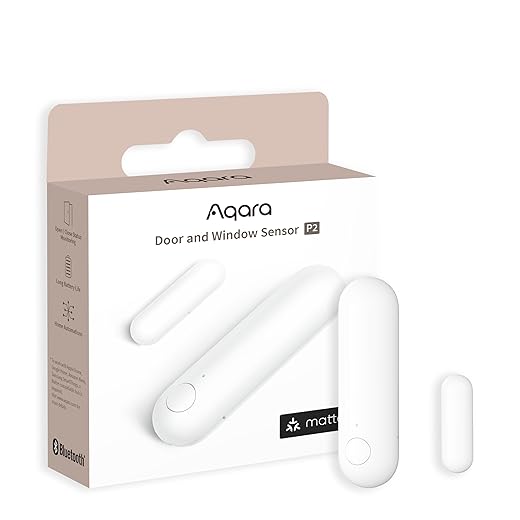
7. Aqara Door and Window Sensor P2 — Best Budget Contact Sensor
This is the unglamorous workhorse of my smart home. It doesn’t change colors. It doesn’t play music. It tells me whether a door or window is open or closed. And from that single, boring piece of information, I’ve built automations that actually make my house smarter. Lights turn on when the back door opens after sunset. The thermostat adjusts when a window has been open for more than ten minutes. The system alerts me if the garage door is still open at midnight.
The P2 version connects via Thread and Matter, which is a big upgrade over the older Zigbee-only models. It pairs directly with HomeKit through your HomePod or Apple TV, no Aqara hub required (though having the hub gives you access to more advanced automations). At under $15 each, you can put these on every door and window that matters without your spouse staging an intervention about the credit card bill.
✅ Best for: Anyone who wants to trigger automations based on doors and windows opening or closing. Which should be everyone.
⚠️ Keep in mind: The adhesive is good but not invincible. On textured surfaces or cold garages, consider supplementing with a small screw mount.
💰 Price range: $12–$18 per sensor.
8. Meross Smart Wi-Fi Garage Door Opener — Best Garage Door Upgrade for the Money
The smart home industrial complex would love to sell you a $350 garage door opener with built-in Wi-Fi, a camera, and a subscription service. The Meross garage door controller costs a fraction of that and makes your existing opener smart. It wires into your current garage door motor, connects to Wi-Fi, and shows up in HomeKit. You can open and close your garage from your phone, set up automations, and get alerts when the door is left open. That last feature alone has saved me from my own forgetfulness more times than I care to admit.
Installation takes about 20 minutes if you’re comfortable with basic wiring (two wires, same as a doorbell). The included tilt sensor detects the door’s position. The app works fine, but once it’s in HomeKit, you’ll never open the Meross app again. I’ve had mine running for over a year with zero issues, which is more than I can say for products that cost four times as much.
✅ Best for: Homeowners with a working garage door opener who want HomeKit control and open/close alerts without replacing the entire unit.
⚠️ Keep in mind: It connects over Wi-Fi, not Thread, so make sure your garage has decent Wi-Fi coverage. A weak signal means slow or failed commands.
💰 Price range: $40–$55.

The Honest Comparison Table Nobody Asked For
Here’s every pick side by side so you can compare without scrolling back and forth like you’re watching a tennis match.
| Product | Category | Protocol | Hub Required? | Price Range | Best For |
|---|---|---|---|---|---|
| 🏆 Aqara M3 Hub | Central Hub | Zigbee/Thread/Matter | It IS the hub | $59–$79 | Whole-home system |
| HomePod Mini | Hub/Speaker | Thread/Wi-Fi | It IS the hub | $89–$99 | Voice control + hub |
| Lutron Caséta Diva | Smart Dimmer | Clear Connect | Lutron Smart Bridge | $65–$85/switch | Reliable lighting |
| Ecobee Premium | Thermostat | Wi-Fi | No | $219–$249 | Energy savings |
| Eve Energy | Smart Plug | Thread | No | $35–$45 | Privacy + monitoring |
| Nanoleaf Essentials A19 | Color Bulb | Thread | No | $18–$25 | Budget color lighting |
| Aqara Sensor P2 | Contact Sensor | Thread/Matter | No | $12–$18 | Automations |
| Meross Garage Opener | Garage Control | Wi-Fi | No | $40–$55 | Garage door control |
Building Your Setup Without Selling a Kidney
The $200 Starter Kit That Actually Works
If I were starting from scratch today with a tight budget, here’s exactly what I’d buy first. One HomePod mini ($99) as the home hub. Two Aqara Door and Window Sensor P2 units ($60) for the front and back doors. Two Nanoleaf Essentials A19 bulbs ($60) for the living room. That’s roughly $220 before tax, and you’d have voice control, automated lights that respond to doors opening, and a Thread mesh network already forming in your house.
That’s not a gimmick setup. That’s a functioning smart home.
The Full House Treatment for Under $700
Ready to go deeper? Add the Aqara M3 hub ($70) and a handful of their Zigbee sensors for rooms that Thread doesn’t reach well. Add a Lutron Caséta starter kit with two dimmers and the bridge ($160). Throw in the Ecobee Premium ($220). Now you’ve got automated lighting, intelligent climate control, sensors throughout the house, and a rock-solid foundation you can build on for years. All controlled from the same Home app on your phone.
Mistakes I Made So You Don’t Have To
Mistake #1: Buying all Wi-Fi devices. When I first started, I bought everything Wi-Fi because it seemed easiest. No hubs, no bridges, just plug it in and go. By the time I had 30 devices on my network, my router was choking like it had been asked to run a marathon in a wool sweater. Thread and Zigbee devices offload that traffic onto their own mesh. Learn from my pain.
Mistake #2: Not naming devices carefully. I once had three lamps all named variations of “living room light.” Siri’s response to “turn off the living room light” was essentially a coin flip. Name everything clearly and specifically from day one. “Living Room Floor Lamp.” “Living Room Table Lamp.” Your future self will thank you.
Mistake #3: Ignoring the power of automations. For the first six months, I used my smart home like a glorified remote control. Manually turning lights on and off from my phone. That’s the dumbest possible use of this technology. The real value is in automations. Lights that turn on when you arrive home. Thermostats that adjust when everyone leaves. Notifications when a door opens at 2 AM. Set up five automations and you’ll wonder how you ever lived without them.
Mistake #4: Trusting cheap cloud-dependent brands. I bought a set of budget smart plugs from a brand I’d never heard of. They worked fine for eight months. Then the company shut down their cloud servers. The plugs became plastic rectangles. This is why I push brands like Eve and Aqara that support local control, and why Thread and Matter matter so much. Your devices should work even if the company that made them vanishes.
Frequently Asked Questions
Q: Do I need an Apple TV or HomePod to use HomeKit?
A: Yes, you need a home hub to use HomeKit automations and remote access. An Apple TV 4K or any HomePod (including the mini) works as a home hub. Without one, you can only control devices when you’re on your local Wi-Fi network, which defeats most of the purpose.
Q: Does HomeKit work with Matter devices in 2026?
A: Yes. Apple was one of the first major platforms to support Matter, and in 2026 nearly all new Matter-certified devices work with HomeKit through the Apple Home app. You still need a home hub like Apple TV or HomePod for full functionality, but the device selection has expanded dramatically.
Q: What is the best smart home system for Apple HomeKit beginners in 2026?
A: The Aqara M3 Hub paired with a few Aqara sensors and an Apple HomePod mini is the most affordable and beginner-friendly way to start. It gives you Zigbee, Thread, and Matter support with a straightforward setup through the Apple Home app. Total cost to get started is under $200.
Q: Is HomeKit more private than Alexa or Google Home?
A: Generally, yes. Apple processes most Siri requests locally on your device and does not sell your data to advertisers. HomeKit Secure Video stores footage in iCloud with end-to-end encryption. It’s one of the genuine advantages of staying in the Apple world, not just marketing fluff.
Q: Can I mix and match brands in HomeKit?
A: Absolutely, and I strongly encourage it. You can use Lutron switches, Ecobee thermostats, Eve sensors, and Nanoleaf bulbs all controlled from the same Apple Home app. As long as each device supports HomeKit or Matter, they work together. Cherry-picking the best product from each brand is exactly how you should build a smart home.
Q: How many HomeKit devices can I have?
A: Apple doesn’t publish a hard limit, but the practical ceiling depends on your home hub and network. Most homes can run 50 to 150 devices without issues. Using Thread and Zigbee devices through a hub like the Aqara M3 reduces Wi-Fi congestion significantly, which is key to scaling up without performance problems.
Final Verdict and Where to Start
Finding the best smart home system for Apple HomeKit in 2026 isn’t about picking one brand and going all in. It’s about assembling the right pieces from companies that respect your time, your money, and your data. The eight products above represent what I’d buy again tomorrow if everything in my house burned down. Well, not the house itself. The mortgage company would probably have something to say about that.
If you’re a beginner, start with the HomePod mini and a few Aqara sensors. You’ll spend under $200 and you’ll understand the appeal within a week. If you’re ready for a serious setup, add the Lutron Caséta dimmers and the Ecobee thermostat. Your energy bills will drop, your lights will obey your voice, and you’ll feel like you’re living in the future, the good version of it where things actually work.
The smart home industry wants you to believe this has to be complicated and expensive. It doesn’t. It just has to be well-chosen.
Check current prices using the links above. Amazon pricing changes frequently and deals appear often, especially on the Aqara and Nanoleaf products. I’ve seen the Aqara M3 hub drop to near $50 during sales events, which is borderline criminal value for what it does.
Now go make your house smarter. Start small. Build deliberately. And for the love of all that is holy, name your devices properly from day one.