For years, “Matter” was the smart home equivalent of a New Year’s resolution. Every January the big names swore that this was finally the year your gadgets would all speak the same language, and every December your Apple stuff still ignored your Google stuff and your partner still couldn’t turn off the porch light from their phone. So I understand the reflex to roll your eyes. But the honest 2026 answer is different from the honest 2023 answer: Matter actually works now, the device shelves are full, and the standard finally crossed the line from “promising” to “worth building on.” This guide walks through what it does, which devices are real today, and where it still trips over its own feet. Not sure your gear plays nicely together? Run it through our free Smart Home Compatibility Checker.
What Matter Actually Fixes
Matter exists to kill the brand prison. For a decade, buying a smart home meant secretly picking a team. An Amazon Echo quietly committed you to Alexa-friendly gear. An Apple household locked you out of half the cheap stuff on Amazon. Pick wrong and that great-looking lock you found was suddenly useless because it only spoke the wrong dialect.
Matter is the shared language that lets a device work across Apple Home, Google Home, Amazon Alexa, and Samsung SmartThings at the same time, instead of pledging loyalty to one. A Matter-certified bulb can answer to an iPhone and an Android phone in the same house. A thermostat can take orders from both Siri and Alexa. The promise is simple and, for most everyday device types, it now holds up: buy the best gadget for the job, not the one your hub happens to tolerate.
Renting and can’t swap wall switches or add hubs? The apartment automation guide covers Matter gear that works without touching the walls.
Where Matter Stands in 2026
The landscape looks nothing like the rocky 2022 launch. There are now thousands of certified products on shelves, the “Works with Matter” badge has become as recognizable as “Works with Alexa” was five years ago, and the major retailers give it real estate. Samsung SmartThings still has the most thorough implementation, Apple and Amazon offer strong if selective support, and Google trails a little, though it keeps closing the gap.
The version history is worth getting straight, because a lot of older write-ups (this site’s included, until now) had the dates wrong. Here is the accurate timeline. Matter 1.4, released in November 2024, was the big energy-management update, adding solar panels, home batteries, heat pumps, and water heaters as proper device types. Matter 1.4.1, in May 2025, was the quality-of-life release that made setup less painful with NFC tap-to-pair and single-QR-code commissioning for multi-packs. Matter 1.5, released in November 2025, is the one that finally folded in the most-requested category of all: security cameras and video doorbells. The March 2026 1.5.1 update then sanded down the rough edges on streaming and intercoms.
So the camera wait is over, technically. The catch is that “the spec exists” and “the shelf is full” are different things, and I will come back to that in the camera section because it matters for what you should actually buy today.
One honest expectation to set: Matter delivers on interoperability, but it is not magic. Setup can still frustrate, and surveys keep showing that a big chunk of people aren’t even sure why they want this stuff. Patience and a little preparation go a long way.
The Devices Worth Buying, by Category
Smart lighting: the easy place to start
Bulbs are the most mature Matter experience and the lowest-risk way to test the waters. Budget WiFi-based options like the TP-Link Tapo line deliver Matter support and real color for around twelve to fifteen dollars a bulb. Thread-based bulbs from Nanoleaf run a bit more but pair fast and respond instantly. Philips Hue is still the premium pick, with the caveat that full Matter support runs through the Hue Bridge rather than the bulbs themselves. If you want the deeper comparison, the Hue starter kit breakdown goes kit by kit.


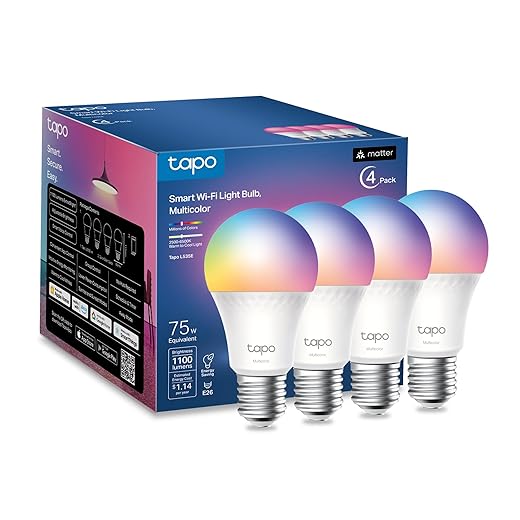


The move here is to start with two or three bulbs in the rooms you actually use, not to relight the whole house on day one. A small win builds the confidence to expand.
Smart plugs: the most value for the least money
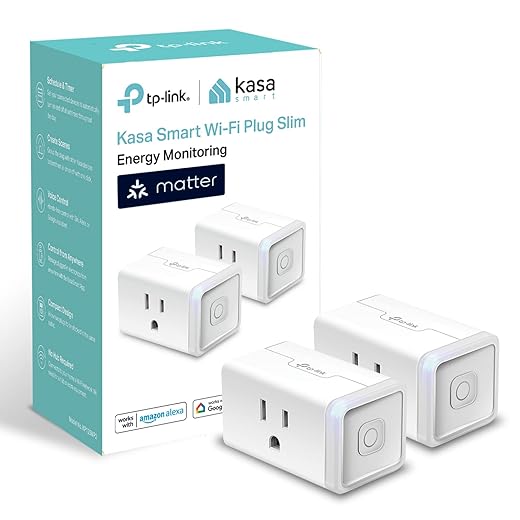
Nothing sells someone on a smart home faster than a smart plug, because it turns a dumb lamp or fan into a connected one for around thirteen dollars. The Kasa Smart Plug Mini is the reliable workhorse, with energy monitoring and a footprint small enough that it won’t block the second outlet. For Apple households that want native Thread, the Eve Energy is the nicer build. For the patio, look for an outdoor-rated weatherproof plug with independent control on each outlet.


Thermostats: where the savings actually show up
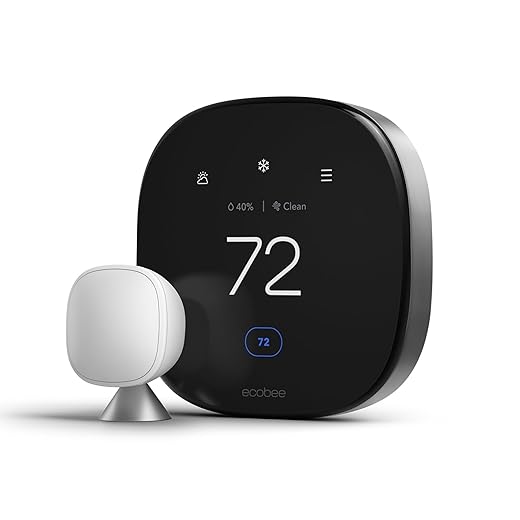
This is the category where a smart home starts paying for itself. The latest Nest Learning Thermostat finally added Matter support along with the usual AI scheduling, but Ecobee tends to win on value, bundling room sensors and broad ecosystem support without the premium price. Expect a smart thermostat to trim a meaningful slice off heating and cooling over a year, which is usually enough to cover the upgrade inside a couple of seasons. Installation is a weekend job for most people, though a tricky wiring setup can justify paying a pro a hundred or two.

Smart locks: convenience you feel every day
A smart lock is one of those upgrades that sounds like a gimmick until you have walked in with both arms full of groceries and the door just opens. Yale’s Matter locks pair touchscreen entry with long battery life, Schlage’s Encode line is the tank of the category, and Level hides the entire mechanism inside a normal-looking deadbolt for people who don’t want their door announcing that it’s smart. Most installs take basic tools and half an hour.


Sensors: the quiet nervous system
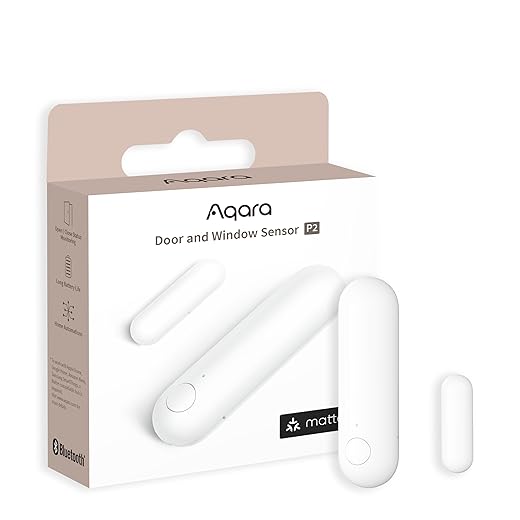
Sensors are the cheap, invisible layer that makes automations feel smart instead of scripted. Aqara leads here with Thread-native contact and motion sensors that run a couple of years on a coin cell, and their mmWave presence sensors can tell that you are sitting still in a room rather than assuming you left because you stopped waving your arms at the ceiling. One thing to budget for: Matter sensors often sip a bit more battery than their old Zigbee equivalents, so factor in slightly more frequent swaps.



Security cameras: real now, but still a thin shelf
Here is the camera honesty I promised. Matter 1.5 added native camera and video doorbell support in November 2025, and the first certified hardware has landed. Aqara’s Camera Hub G350 shipped in March 2026 as the world’s first Matter-certified camera. So the years of “cameras are coming” are genuinely over.
But one pioneer is not a marketplace. As of right now the certified-camera shelf is essentially Aqara plus a short list of platforms racing to add controller support. If a Matter-native camera fits your setup, great. If you just want reliable coverage today, there is no shame in buying a proven platform-specific system and revisiting Matter cameras in a year, once the selection catches up to the spec.
Speakers and displays: your command centers
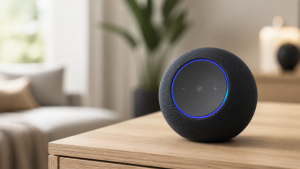
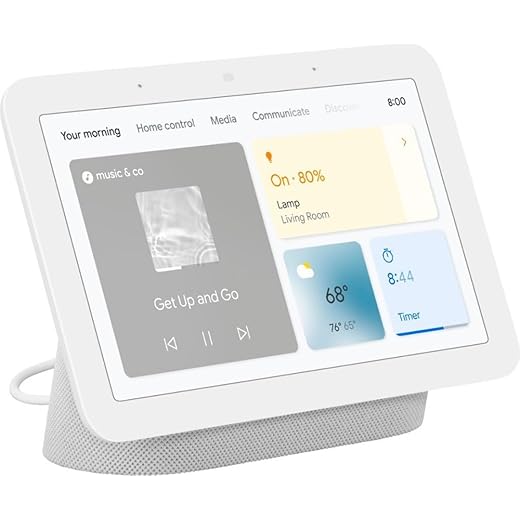
Most smart speakers now double as the hub your Matter setup needs. The Amazon Echo is the value pick and includes a Zigbee radio plus Matter controller duties. The Apple HomePod mini pulls double duty as a speaker and a Thread border router, which makes it close to essential in an Apple-leaning house. Google’s Nest Hub is the budget way to get a screen for control. The trick, as always, is to pick one platform as home base and expand within it rather than scattering across three.


The newer arrivals
Matter’s energy push pulled in some unexpected categories. A handful of smart appliances and robot vacuums now carry Matter support, and motorized blinds and shades from the likes of SwitchBot and IKEA have become a genuinely affordable way to automate a room. These are still early, so check that a specific model lists Matter rather than assuming the brand covers it.


Moving Over From Zigbee or Z-Wave
If you already own older gear, you mostly don’t have to throw it out. Bridges from Philips Hue, Aqara, and SwitchBot translate Zigbee devices into Matter, so your five-year-old bulbs suddenly show up in Apple Home, Google Home, and Alexa at once. Update the hub firmware, scan its code into your preferred app, and the existing devices appear.
Z-Wave is the harder road, since there are no clean consumer bridges yet. The practical path is to run a multi-protocol hub like SmartThings or Home Assistant as your controller and swap Z-Wave gear for Matter alternatives gradually as it ages out, rather than ripping it all out at once.
The Infrastructure You Actually Need
Two things quietly decide whether your Matter setup feels great or maddening. The first is a Thread border router, which bridges Thread’s low-power mesh to your WiFi. The good news is you probably already own one: a HomePod, a recent Echo, or a Nest Hub all qualify. The second is your network. Matter leans on IPv6, and a surprising number of older routers either have it switched off or lack it entirely, which produces the maddening situation where a device pairs fine and then refuses to respond. If devices keep dropping, that is the first thing to check, and the WiFi troubleshooting guide walks through the rest.
What Setup Really Looks Like
Set honest expectations and you won’t get frustrated. Your first Matter device takes twenty or thirty minutes while you learn the rhythm. After that, most devices go in five to ten minutes: open your platform app, make sure the WiFi signal is strong where the device lives, scan the QR code, wait for it to be discovered, assign it a room, and test it before moving on. Apple Home tends to be the smoothest first-try experience, Alexa is the most forgiving when something goes sideways, Google has improved a lot but can still be fussy with non-Google devices, and SmartThings offers the most flexibility if you are willing to learn its quirks.
One genuinely great Matter feature for shared homes is multi-admin: one person can run Alexa, another Siri, the kids Google, all controlling the same devices. Generate a sharing code from the main platform and scan it into the others.
What Matter Still Doesn’t Solve
It is not all sorted. The certified-camera selection is brand new and thin. Some advanced features still live only in the manufacturer’s own app, so your plug might report energy use in the Kasa app but not in Apple Home. Platforms implement the standard at slightly different speeds, which creates the occasional gap where a device that works in one ecosystem won’t appear in another. And battery life on current-generation Matter sensors often runs a little shorter than the Zigbee gear it replaced. None of this is dealbreaking, but you should walk in expecting a very good standard rather than a perfect one.
So, Is It Time?
Yes, with eyes open. Matter is not flawless, but it finally cleared the bar from “interesting experiment” to “safe to build on.” After years of devices that only played nicely inside their own walls, you can now genuinely mix and match for everyday categories without the compatibility headache, and the freedom that buys you is the whole point. Found a great lock from a brand you have never heard of? If it is Matter-certified, it will work with what you already own.
Start small. Grab a couple of Matter bulbs or a smart plug, see how easily they slot into whatever assistant you already use, and expand from there into thermostats and locks once you trust it. You no longer have to pick Team Apple, Team Google, or Team Amazon. You can pick Team Whatever Works For Me, which is how this should have worked all along. (One piece of advice that hasn’t changed: even with Matter, life is smoother if you still settle on one assistant as your main hub.)