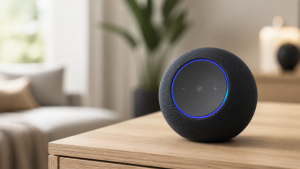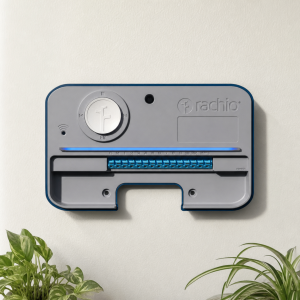
When I started layering AI into our home, I was overwhelmed inside a week. Every device on the shelf promised intelligence. Most of them delivered a new app, a new login, and a new way to annoy my family. My goal was never to live in a showroom. It was to streamline our daily routines without feeling like we were surrounded by gadgets that needed babysitting.
A few years in, here’s the honest version: building a home that thinks for itself takes a systematic approach. Hardware, software, and a healthy tolerance for trial and error. The good news is that the AI piece, which used to be the hardest part of this whole project, has quietly become the easiest. This guide walks through how I’d build an AI-powered ecosystem today, start to finish.
First, Figure Out What You Want the House to Do
Before you buy anything, take stock of what you already own and what you realistically plan to add. Lights, thermostats, cameras, speakers, the works. Then ask the more useful question: how should these things interact? Maybe you want the driveway lights on when a camera sees motion after dark, or the thermostat easing off when the last person leaves. Write those scenarios down. They are your actual requirements; everything else is shopping.
Protocols matter more than most people expect. Some devices speak Wi-Fi, others Zigbee, Z-Wave, or Thread, and the platform you pick has to speak the same languages your gear does. Ten minutes of checking compatibility lists now saves you a drawer full of returns later.
Also decide how you want to talk to the thing. Voice, an app, a button on the wall, or ideally nothing at all because the automation already handled it. The best smart home is the one you stop noticing.
The Platform Decision (You Only Want to Make This Once)
Every AI-powered home needs a brain, and you have two broad choices.
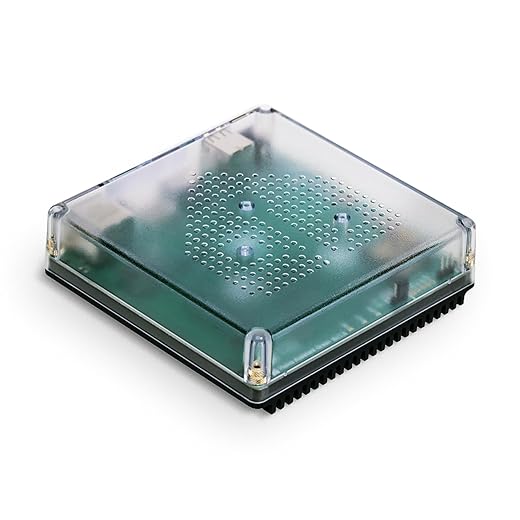
The tinkerer route. Home Assistant is the big name here, and if that name is new to you, I wrote a full primer on it. It runs locally, keeps your data in your house, and connects to practically everything ever manufactured. The trade is a learning curve and a maintenance habit. People who enjoy it really enjoy it. People who don’t, quit by February.
The mainstream route. Amazon Alexa, Google Home, and Apple Home give you a friendlier setup and apps your in-laws can operate. We run HomeKit in our house, mostly for the privacy posture and because it has survived contact with my kids. The trade-off is less customization and more reliance on someone else’s cloud.

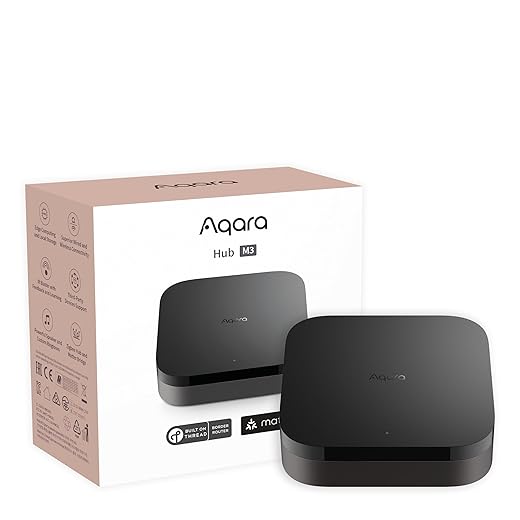
The decision got lower-stakes recently thanks to Matter, the cross-brand standard that lets devices work on any major platform. If you stick to Matter-compatible gear, a platform change down the road is an inconvenience instead of a demolition.
The AI Part Got Dramatically Easier
This is where the old advice aged the fastest. A couple of years ago, getting natural conversation into your smart home meant API keys, middleware like Node-RED, and an evening of duct-tape engineering to bolt ChatGPT onto your light switches. I know because I lived it.
Today the major assistants ship with large language models baked in. Amazon rebuilt Alexa around one. Google has been rolling Gemini into its Home lineup. Siri is improving at Siri’s own unhurried pace. The practical upshot: you can phrase requests like a human being. “It’s too bright in here and the game is starting” now gets a useful response instead of a weather report.
The Home Assistant crowd gets the most interesting options. Its Assist feature can connect to the LLM of your choice, including models that run entirely on local hardware, which means conversational AI with zero audio leaving your house. Forum users have gotten remarkably good setups running on hardware that costs less than a nice dinner out.
A dose of realism belongs here, though. AI makes the interface smarter; it does not make a flaky sensor reliable or a dead-end product line supported. I covered what AI actually changes and what it doesn’t if you want the full sobriety check before believing a keynote.
Routines Are Still the Whole Ballgame
An AI assistant that answers cleverly is a parlor trick. The value shows up when the house starts acting without being asked. That part is still on you to design, and it is genuinely fun.
Start by mapping a normal day. Wake up, coffee, kids out the door, work, dinner, wind down. Each transition is an automation candidate: a morning scene that raises blinds and warms the kitchen lights, an away mode that drops the thermostat and arms the cameras, an evening routine that locks the doors at a set time whether you remembered or not.
Then layer in conditions. Time of day, motion, temperature, who is home. Lights that come on at sunset only when someone is actually in the room. Geofencing that starts the climate control when you leave the office. If you want a head start, I collected the automations that save real time in a separate piece, ranked by how much grumbling they eliminated.
Two rules from hard experience. Keep manual overrides everywhere, because the fastest way to lose household support for a smart home is trapping someone in a lighting scene they can’t escape. And expect to revise constantly. Our morning routine is on something like version nine. Nobody misses versions one through eight.
Have the Privacy Talk With Yourself
An AI-powered home is a house full of microphones, cameras, and behavioral data, so decide where your comfort line sits before the gear arrives. Mine: cameras outside only, local processing wherever possible, and a strong preference for devices that work without an internet connection. Yours may differ, but pick the line on purpose.
The boring hygiene matters more than the dramatic stuff. Keep firmware updated, use real passwords, and favor platforms with a track record of patching vulnerabilities instead of renaming them as features.
Outside Hooks That Earn Their Keep
Third-party integrations sound exciting and are mostly noise. Two have stayed useful in our house: weather data, which lets blinds and climate react to the forecast instead of the clock, and calendar integration, which keeps the house from running the school-morning routine on a holiday. Past that, add integrations only when a real annoyance demands one. Complexity is a cost, even when it’s free.
Let the House Earn Its Keep
Build in one room first. Live with it for a few weeks, note what works and what irritates, and only then expand. A smart home assembled gradually around your actual life ends up anticipatory. One assembled in a single ambitious weekend ends up in a junk drawer.
The goal was never gadgets. It was a Tuesday that runs smoother because the house quietly handled the dumb stuff. A few years into this, ours mostly does. The science project phase, it turns out, is optional now.