A reliable smart home network is the backbone of an efficient and seamless smart home experience. Connectivity issues can disrupt everything from streaming media to controlling lights and security systems. Lately, I’ve been grappling with my own network struggles, trying to keep all my smart devices connected smoothly. This experience has underscored just how crucial a robust network is for a smart home.
In this guide, we’ll dive into the essentials of smart home networking, from understanding different types of networks to diagnosing common problems. We’ll also explore the best equipment upgrades and optimization tips to ensure your smart devices stay connected without a hitch. Whether you’re dealing with weak signals, outdated gear, or simply looking to future-proof your setup, this guide has got you covered.
Understanding Smart Home Networking
A well-functioning smart home network is composed of several key components that work together to ensure all your devices stay connected. Let’s break down the types of networks you might encounter and the benefits of having a robust system.
Definition and Components of a Smart Home Network
At its core, a smart home network is a combination of hardware and software that connects your smart devices to each other and the internet. This typically includes:
- Router: The central device that connects your home network to the internet.
- Modem: Often combined with the router, it links your network to your internet service provider (ISP).
- Smart Devices: Any connected device, such as lights, thermostats, cameras, and speakers.
- Hubs and Bridges: Devices like smart home hubs (e.g., Amazon Echo, Google Nest) that facilitate communication between different smart devices and protocols.
Types of Networks
Wi-Fi: The most common type of home network, Wi-Fi provides wireless connectivity to devices throughout your home. However, it can be susceptible to interference and signal degradation over distance.
Zigbee and Z-Wave: These are low-power, low-bandwidth mesh networks often used for home automation devices. They offer reliable connectivity and low latency but require a compatible hub or bridge.
Bluetooth: Typically used for short-range communication between devices, Bluetooth is useful for specific applications like smart locks and speakers but isn’t suitable for a whole-home network.
Ethernet: Wired connections offer the most reliable and fastest connectivity but are less flexible in terms of device placement.
*For more information on Zigbee, Z-Wave and Mesh WiFi networks, check out our previous post here.
Benefits of a Robust Smart Home Network
A strong and reliable network ensures that your smart home devices function seamlessly. Benefits include:
- Consistent Performance: Reduce lag and interruptions in your smart devices’ operations.
- Scalability: Easily add more devices without degrading network performance.
- Security: Protect your network and devices from vulnerabilities and unauthorized access.
- Ease of Management: Simplify the control and monitoring of all your connected devices.
Personal Experience
In my home, I’ve found that relying solely on Wi-Fi sometimes leads to connectivity issues, especially with devices far from the router. By exploring other network types like Zigbee and Z-Wave, and considering a mesh network, I’ve started to see improvements in stability and performance. Each home and setup is unique, so understanding these components and network types can help you make informed decisions about optimizing your smart home.
Assessing Your Current Network
A reliable smart home network begins with understanding and assessing your current setup. Identifying common issues and evaluating the performance of your existing network can help you pinpoint areas for improvement.
Common Issues with Home Networks
- Interference: Devices like microwaves, cordless phones, and even neighboring Wi-Fi networks can interfere with your home network, causing connectivity issues.
- Weak Signals: Physical obstructions such as walls and floors can weaken Wi-Fi signals, leading to dead zones in your home.
- Outdated Equipment: Using older routers and network devices can limit your network’s speed and capacity, making it difficult to support multiple smart home devices.
- Bandwidth Limitations: High bandwidth activities like streaming and gaming can strain your network, especially if multiple devices are in use simultaneously.
Tools and Methods to Diagnose Network Problems
Wi-Fi Analyzer Apps: Tools like NetSpot, Wi-Fi Analyzer (for Android), and Wi-Fi Explorer (for macOS) can help you visualize your Wi-Fi coverage, identify weak spots, and detect interference.
Speed Tests: Regularly performing speed tests using services like Speedtest.net can help you monitor your network’s performance and identify inconsistencies.
Network Monitoring: Utilize your router’s built-in network monitoring tools or third-party apps like Fing to track device usage and identify bandwidth hogs.
Firmware Updates: Ensure that your router and network devices are running the latest firmware to benefit from performance improvements and security fixes.
Personal Experience
I haven’t taken the leap into Wifi Analyzer apps yet, as they can be costly – anywhere from $20-200+ depending on the level of detail you are looking for. Running a quick test on Speedtest.net, however, leads me to believe that my reliability issues are a result of my router and has me considering upgrading to a mesh network. I’ll report back as this develops.
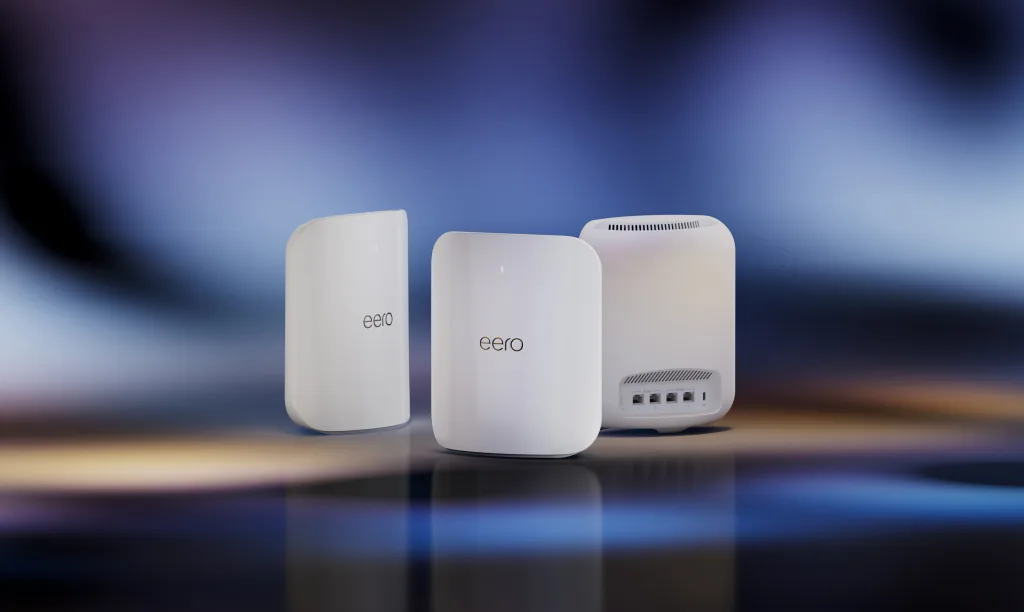
Update: I did exactly that. A mesh system with a node on each floor (I landed on the Eero Pro 6E) ended the drop-offs for good.
Upgrading Your Network Equipment
Upgrading your network equipment can significantly improve the performance and reliability of your smart home network. Here are some key components to consider upgrading:
Routers and Mesh Systems
- Modern Routers: Upgrading to a modern router can enhance your network’s speed, range, and capacity. Look for routers that support the latest Wi-Fi standards (Wi-Fi 6, 6E or Wi-Fi 7) for the best performance.
- Examples:
- Asus RT-AX88U: A powerful Wi-Fi 6 router with excellent range and speed, priced around $300.
- Netgear Nighthawk AX12: Another high-performance Wi-Fi 6 router, priced around $400.
- Examples:
- Mesh Systems: If you have a large home or face significant coverage issues, a mesh Wi-Fi system can be a game-changer. These systems use multiple nodes to create a blanket of strong Wi-Fi coverage throughout your home.
- Examples:
- Google Nest Wi-Fi: A user-friendly mesh system with great coverage, starting at $170 for a router and point.
- Eero Pro 7: The new premier mesh system with wired network speeds up to 9.4 Gbps and wireless network speeds up to 4.3 Gbps.
- Examples:
Range Extenders
Range extenders can help boost your Wi-Fi signal in specific areas of your home, though they are generally less effective than mesh systems for whole-home coverage.
Examples:
- TP-Link RE650: A powerful range extender with dual-band support, priced around $100.
- Netgear EX7300: Another high-performance extender with good coverage, priced around $140.
Network Switches
For areas where a wired connection is preferable, network switches can expand your Ethernet connectivity, providing stable and fast connections for devices that require high bandwidth.
Examples:
- TP-Link TL-SG105: A 5-port Gigabit Ethernet switch, priced around $20.
- Netgear GS308: An 8-port Gigabit Ethernet switch, priced around $30.
Optimizing Your Network for Smart Devices
Optimizing your network setup ensures that your smart devices operate smoothly and efficiently. Here are some strategies to maximize your network’s performance and reliability.
Placement of Routers and Devices
- Central Location: Place your router in a central location within your home to ensure even coverage. Avoid placing it near thick walls, metal objects, or electronic devices that can cause interference.
- Elevated Position: Position the router on a shelf or mount it on a wall to reduce obstructions and improve signal strength.
- Minimize Interference: Keep your router away from devices like microwaves, cordless phones, and baby monitors that can interfere with Wi-Fi signals.
Network Segmentation:
Creating separate networks for different device types can improve performance and security:
Guest Network: Set up a guest network for visitors to keep your main network secure.
IoT Network: Create a separate network for your smart home devices to reduce congestion and potential security risks on your main network.
Firmware Updates
Keeping your router and network devices updated with the latest firmware ensures optimal performance and security:
- Regular Checks: Regularly check for firmware updates from the manufacturer and apply them promptly.
- Automatic Updates: Enable automatic updates if your device supports this feature to ensure you never miss an important update.
Security Considerations
Protecting your network from vulnerabilities is crucial for maintaining a secure smart home:
- Strong Passwords: Use strong, unique passwords for your Wi-Fi network and all connected devices.
- Network Encryption: Ensure your network is encrypted using WPA3 (or WPA2 if WPA3 is not available).
- Regular Monitoring: Monitor your network for unusual activity and disconnect any unrecognized devices immediately.
Optimizing Bandwidth Usage
Efficiently managing your network’s bandwidth can help prevent slowdowns:
- Prioritize Devices: Use Quality of Service (QoS) settings on your router to prioritize traffic for critical devices like security cameras and smart locks.
- Schedule High-Bandwidth Activities: Schedule activities like video streaming and large downloads during off-peak hours to reduce network congestion.
Future-Proofing Your Smart Home Network
As the number of smart devices in our homes continues to grow, it’s essential to future-proof your smart home network to accommodate new technologies and increasing device loads. One way to stay ahead is by investing in equipment that supports the latest standards, such as Wi-Fi 6 and Wi-Fi 6E. These technologies offer faster speeds, greater capacity, and improved performance in congested environments. Upgrading to these newer standards ensures that your network can handle the influx of devices and bandwidth-intensive applications like 4K streaming and online gaming.
Another aspect of future-proofing is staying informed about emerging trends and technologies. For instance, advancements in mesh networking, such as Wi-Fi 7, promise even better coverage and efficiency. Additionally, keeping an eye on developments in smart home protocols like Matter, which aims to unify various smart home standards, can help you make informed decisions about new devices and integrations. Regularly reviewing your network setup and making incremental upgrades will keep your smart home running smoothly and efficiently.
Conclusion
Maintaining a reliable and robust smart home network is like trying to keep peace during a family game night — it takes the right setup, a fair bit of strategy, and occasional troubleshooting. By assessing your current network, upgrading essential equipment, optimizing your setup, and future-proofing for new technologies, you can ensure that your smart devices work together as harmoniously as possible. And when the inevitable hiccup occurs, just remember: even the best systems need a little love (and maybe a few reboots).