Thread devices are everywhere now. Bulbs, locks, sensors, plugs, all promising faster response and batteries that don’t quit monthly. Then you get the thing home, the app asks for a “Thread border router,” and suddenly you’re reading network documentation at 9pm instead of watching the game.
Here’s the punchline up front: you probably already own one. Let’s sort it out in five minutes.
The Translator in the Closet
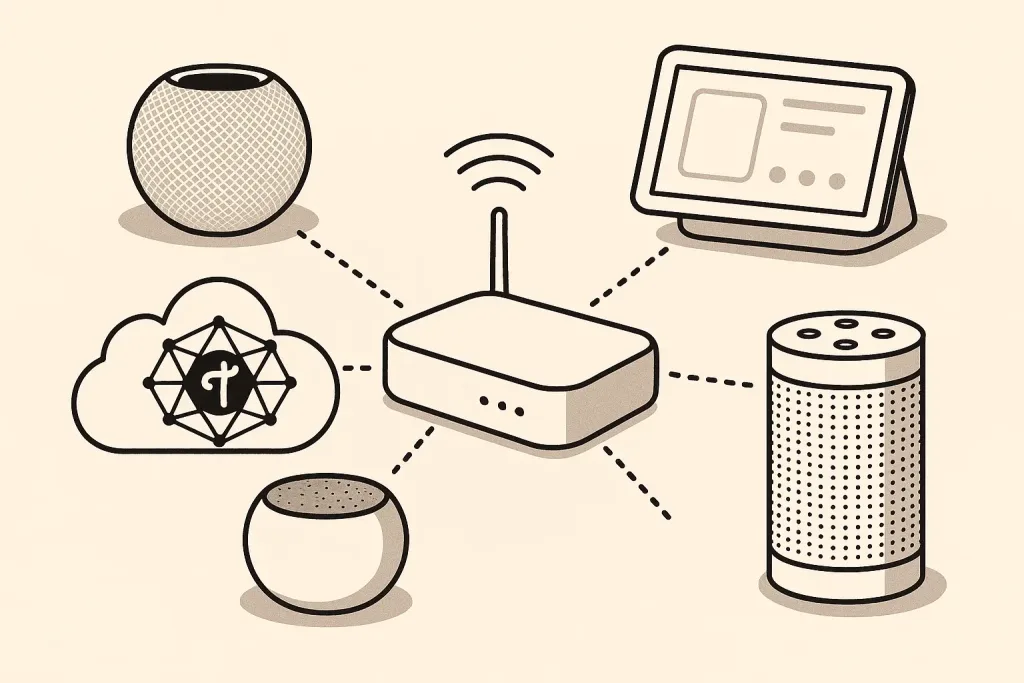
Thread devices form their own little mesh network. They chat with each other on it, route around dead spots, and generally behave themselves. But that mesh is its own private club. Your phone, your WiFi, and the rest of the internet aren’t members.
A Thread border router is the bouncer who passes messages between the club and the outside world. It’s not a separate gadget you buy. It’s a capability baked into hardware you likely already have plugged in. No border router means your fancy Thread devices can talk to each other all day and still can’t hear a single command from your phone.
That’s the whole concept. Everything else is just figuring out which of your devices has the badge.
Check Your Shelf Before You Check Out
Run down this list before spending a dime. If anything here is plugged in at your place, you’re done.
Apple homes
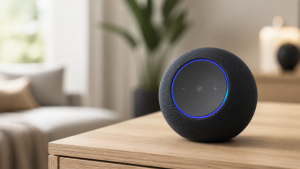
HomePod mini, HomePod (2nd gen), and Apple TV 4K (2021 or newer, the WiFi + Ethernet models). This is my setup, and the honest review is that I have never once thought about my border router. The HomePod mini in the kitchen quietly does the job. That’s the level of boring you want from network infrastructure.

Amazon homes
Echo (4th gen and newer), Echo Hub, Echo Show 8 (3rd gen), and the newer eero mesh routers (eero 6 and up). If you’ve bought basically any mid-tier Echo since 2020, you’re covered.

Google homes
Nest Hub (2nd gen), Nest Hub Max, Nest WiFi Pro. Google’s older speakers don’t qualify, which surprises people more than it should.
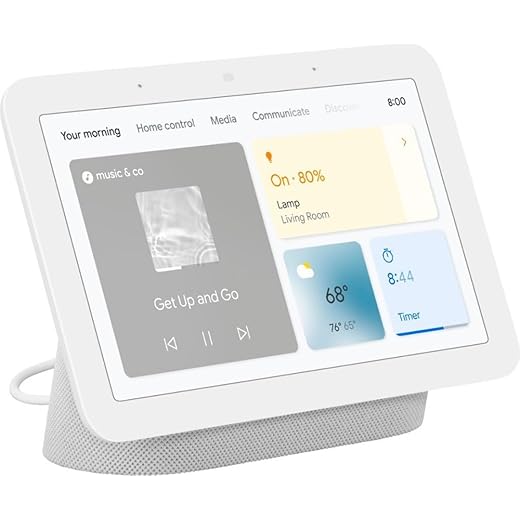
Google Nest Hub 7” Smart Display with Google Assistant (2nd Gen) - Chalk
Samsung homes
SmartThings Station and the SmartThings Hub v3 with a recent firmware. Samsung was late to this party but showed up eventually.
Notice the pattern: smart displays, newer speakers, and mesh routers. The $25 smart plug you bought in 2019 is not secretly a border router. Sorry.
The Questions Everyone Actually Asks
Do I need more than one?
Need? No. One border router serves the whole house. But here’s a genuinely pleasant quirk: multiple border routers on the same network cooperate automatically. A HomePod mini upstairs and an Apple TV downstairs give your Thread network two doors to the outside world, which means more resilience and better coverage. It’s one of the rare corners of the smart home where buying more stuff just works without configuration.
Do border routers from different brands play nice?
This is where the 2026 answer beats the 2023 answer. Thread 1.4 pushed hard on cross-vendor cooperation, and Matter keeps tightening the screws. An Echo and a HomePod on the same network used to create two parallel Thread networks that ignored each other like divorced parents at a graduation. Newer firmware merges these far more gracefully. It’s not perfect yet, and the forums still collect horror stories, but the trend line is good.
Does the border router slow down my WiFi?
No. Thread runs on its own radio (the same 802.15.4 family as Zigbee). Your border router is doing translation work, not eating bandwidth. Your Netflix is safe.
What happens if it goes offline?
Your Thread devices keep talking to each other, and existing automations that live on the mesh keep running. You lose phone control and anything that needs the wider network until it’s back. With two border routers, the second one picks up the slack and you notice nothing. Again: buy the second HomePod mini. For the kitchen. For “music.” Nobody needs to know it’s network redundancy.
Why You Should Care at All
Fair question, since I just told you it’s mostly automatic. Thread matters because it fixes the two chronic diseases of smart home gear: laggy response and battery drain. Thread sensors respond near-instantly and run a year or two on a coin cell, which is exactly what you want for the unglamorous devices that make automations feel like magic. I get into those in my smart home sensors guide, and the mmWave presence sensor crowd is increasingly Thread-first too.
The protocol war is basically settled. Thread won the low-power lane, Matter won the compatibility lane, and WiFi keeps the heavy stuff like cameras. Your job as a buyer is simply: check the box for Thread when it’s an option, confirm you’ve got one device from the list above, and then never think about any of this again.
Which, if you remember the X10 era, is the entire dream.