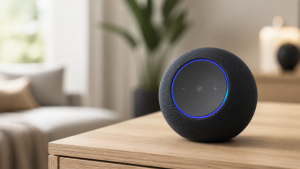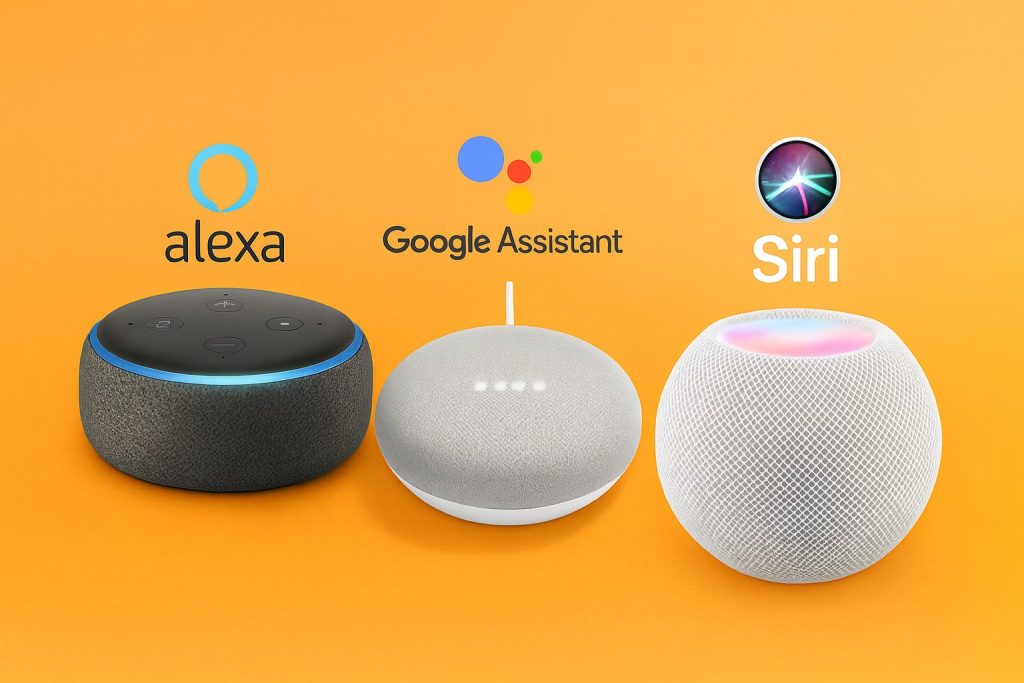
Remember when smart speakers first arrived and we all felt like tech wizards just asking Alexa to set a timer? Those days of basic commands are long gone. Today’s smart speakers pack serious capabilities that most of us haven’t even discovered yet. After spending countless hours exploring every nook and cranny of my Echo, Google Home, and HomePod devices, I’ve uncovered features that completely changed how I use these gadgets.
If you’re still just asking for weather updates and playing music, you’re barely scratching the surface. Let’s dive into the hidden gems and advanced commands that’ll transform your smart speaker from a fancy timer into the powerhouse it was meant to be.
The Multi-Room Audio You Didn’t Know You Had
Here’s something that blew my mind when I first discovered it: your smart speakers can work together as a whole-home audio system. I stumbled upon this while trying to play music for a dinner party, and now I can’t imagine life without it.
With Alexa, you can create speaker groups that play synchronized music throughout your home. Simply open the Alexa app, navigate to Devices, tap the plus sign, and select “Set Up Multi-Room Music.” Name your group something memorable like “Everywhere” or “Downstairs,” and boom – instant surround sound for your entire living space.
Google Home users get the same magic through speaker groups in the Google Home app. The real kicker? You can adjust volume for individual speakers within the group. Want the kitchen speaker quieter while cooking but the living room cranked up? Just ask to set specific volumes for each room.
But wait, it gets better. You can use these groups for announcements too. Instead of yelling upstairs that dinner’s ready, just say “Alexa, announce to everywhere that dinner is served.” Your message broadcasts to every speaker in the group. My kids can no longer claim they didn’t hear me calling them.
Whisper Mode and Other Conversation Tricks
Ever tried to use your smart speaker while someone’s sleeping nearby? There’s actually a solution for that. Alexa’s Whisper Mode is pure genius – when you whisper to Alexa, she whispers back. Enable it by saying “Alexa, turn on Whisper Mode” or through the app settings.
Google Assistant has a similar feature called Night Mode, which automatically lowers the assistant’s volume and dims smart lights during specified hours. You can even set it to skip certain actions like playing music at full volume when activated.
Here’s another conversation hack: Brief Mode. When enabled, Alexa replaces verbose responses with simple chimes for basic commands. No more “OK, turning off the living room lights” at full volume. Just a subtle beep to confirm the action. Trust me, your family will thank you during those late-night smart home adjustments.
Advanced Routines That Actually Think
Sure, you might have a “Good Morning” routine that turns on lights and reads the weather. But modern smart speakers can handle routines that adapt based on conditions. These aren’t your basic if-this-then-that automations anymore.
Alexa routines now support “Wait” actions. You can create a routine that turns on your bedroom light, waits 10 minutes, then gradually dims it as a gentle reminder to start winding down. I use this for my kids’ bedtime routine – lights dim in stages over 30 minutes, giving them time to finish up activities without abrupt darkness.
Even cooler: location-based triggers. Set routines that activate when you leave or arrive home. My “Heading Out” routine not only turns off lights and adjusts the thermostat but also sends me a reminder if any windows are open (when connected to compatible sensors).
Google routines offer something unique: workday routines. These only run on days Google knows you’re working, based on your calendar. My workday morning routine is completely different from weekends – coffee maker starts earlier, news briefing includes stock updates, and lights are brighter for those video calls.
The Secret Language of Advanced Commands
Both Alexa and Google Assistant understand context better than you might think. You don’t need to speak in robotic commands. Try these natural language patterns that actually work:
** Instead of “Alexa, set a timer for 10 minutes,” try “Alexa, remind me to flip the chicken in 10 minutes.” The reminder includes context, making it far more useful than a generic beeping timer.
Multiple commands in one breath? Absolutely. “Alexa, turn off the TV, dim the lights to 30%, and play relaxing music” works flawlessly. No need for multiple wake words or waiting between commands.
Here’s a game-changer: compound questions. “Alexa, what’s the weather like today and what should I wear?” gives you both forecast and clothing suggestions. Google Assistant excels here, often providing remarkably contextual responses.
Guard Mode and Security Features You’re Not Using
Your smart speaker doubles as a security system, and most people have no idea. Alexa Guard listens for breaking glass, smoke alarms, and carbon monoxide detectors when you’re away. Say “Alexa, I’m leaving” to activate it. If it detects something suspicious, you’ll get a notification with an audio clip.
But here’s the advanced stuff: Guard Plus (paid subscription) adds even more. It can play sounds of dogs barking or people moving around to deter intruders. You can also trigger an emergency helpline through your Echo device.
Google’s Home & Away routines offer similar functionality. Set them to automatically arm when everyone leaves and disarm when someone returns. Combined with compatible smart locks and cameras, you’ve got a security system that rivals professional installations.
Hidden Music Commands That Change Everything
Stop settling for “play some music.” Your smart speaker understands incredibly specific music requests that would make any DJ jealous.
Try these Alexa advanced commands:
- “Alexa, play music from when I was 16” (it knows your age from your profile)
- “Alexa, play the song that goes ‘I want it that way'” (song identification from lyrics)
- “Alexa, increase the bass” (built-in equalizer controls)
- “Alexa, play rain sounds for 2 hours” (automatic sleep timer for ambient sounds)
Google Assistant has its own tricks:
- “Hey Google, play something chill” (mood-based recommendations)
- “Hey Google, what’s this song?” (identifies music playing nearby)
- “Hey Google, play everywhere except the bedroom” (granular group control)
My personal favorite? Creating music alarms. Instead of jarring beeps, wake up to your favorite playlist gradually increasing in volume. Just say “Alexa, wake me up at 7 AM to my morning playlist.”
Smart Home Scenes You Haven’t Imagined
Scenes (or “shortcuts” in some systems) go way beyond turning multiple lights on or off. Modern smart speakers can orchestrate entire environmental changes with a single command.
Create a “Movie Time” scene that dims lights, lowers smart blinds, turns on the TV, switches to the right input, and even starts the popcorn maker if you have a smart plug. The key is thinking beyond basic on/off commands.
Temperature scenes are criminally underused. “Alexa, I’m cold” can bump up the thermostat, turn on a space heater, and even suggest grabbing a blanket. “Bedtime” can gradually lower temperature over an hour, mimicking natural cooling for better sleep.
Here’s an advanced trick: variable scenes based on time. The same “Good Morning” command can open blinds fully on weekdays but only halfway on weekends. Smart speakers now understand context like time, day, and even season.
Intercom Features That Beat Actual Intercoms
Drop In might be the most underutilized feature on smart speakers. It turns your devices into a full home intercom system. But beyond basic room-to-room calling, there are features most people miss.
Alexa’s Drop In can be set to “household only” for privacy. You can also drop in on specific devices: “Alexa, drop in on kitchen” starts an instant two-way conversation. No pickup required.
Announcements work differently than Drop In. They’re one-way messages that play on all devices. But here’s the hidden gem: you can send announcements from the Alexa app when you’re not home. Stuck in traffic? Send “Running late, start dinner without me” to the whole house.
Google’s Broadcast feature includes fun touches. Say “Hey Google, broadcast it’s dinner time” and it might add a dinner bell sound. “Broadcast it’s bedtime” could include a lullaby. These contextual additions make announcements less jarring and more fun.
Shopping and Productivity Hacks
Your smart speaker can be a productivity powerhouse with the right commands. These features have genuinely changed how I manage daily tasks.
For shopping, go beyond basic list additions. “Alexa, add milk to my shopping list” is fine, but “Alexa, add milk to my Whole Foods cart” actually starts an order. You can even say “Alexa, where’s my stuff?” to track all pending deliveries.
Calendar integration is deeper than most realize. “Alexa, move my 2 PM meeting to 3 PM” works if your calendar is connected. “When is my next free slot?” helps with scheduling on the fly.
Here’s a productivity game-changer: named timers. Instead of juggling multiple generic timers, use “Alexa, set a pasta timer for 8 minutes” and “Alexa, set an oven timer for 20 minutes.” When they go off, Alexa tells you which timer is done.
Voice Profiles and Personalization
If multiple people use your smart speakers, voice profiles are essential. But most people stop at basic setup. Here’s what you’re missing:
Personalized responses mean “What’s on my calendar?” gives different answers based on who’s asking. Music recommendations adapt to individual tastes. Even shopping lists can be separated by user.
Kids’ profiles deserve special attention. Beyond content filtering, you can set time limits, approve contacts for calling, and even require please and thank you for responses (seriously, Alexa has a politeness feature).
Voice purchasing can be restricted to specific profiles. Let adults buy things while keeping kids from ordering 100 pounds of cookies. You can also require a confirmation code for all purchases, adding security without losing convenience.
Developer Tools and Advanced Integrations
Here’s where things get really interesting. IFTTT (If This Then That) integration opens up possibilities limited only by imagination. Connect your smart speaker to almost any service or device.
Some powerful IFTTT combinations:
- Tweet your shopping list
- Log music plays to a spreadsheet
- Trigger phone calls based on smart home events
- Connect to services Alexa doesn’t natively support
For the truly adventurous, Alexa Blueprints let you create custom skills without coding. Build family trivia games, custom stories for kids, or even household instruction guides accessible by voice.
Privacy Controls You Should Actually Use
With all these features, privacy matters more than ever. Here’s what many don’t realize: you have granular control over what your smart speaker hears and stores.
Enable deletion by voice: “Alexa, delete what I just said” or “Alexa, delete everything I said today.” You can even set automatic deletion of recordings after 3 months.
The mute button physically disconnects the microphone on most devices. When muted, the device cannot hear anything, period. Use it during sensitive conversations.
Review and delete your voice history regularly through the app. You might be surprised what’s stored. Both Amazon and Google let you opt out of human review of recordings while still using the devices.
Making It All Work Together
The real magic happens when you combine these features. Wake up to gradual lights, personalized news, and fresh coffee. Leave home and automatically arm security, adjust temperature, and ensure everything’s locked. Return to welcoming lights, comfortable temperature, and your evening playlist already going.
Start small. Pick one or two features that solve real problems in your daily routine. Once those become habit, add more. Before long, you’ll wonder how you lived without these capabilities.
Smart speakers have evolved from simple voice assistants to powerful home automation hubs. The features I’ve shared are just the beginning. Every update brings new possibilities, and the ecosystem keeps expanding. Whether you’re team Alexa, all-in on Google, or somewhere in between, there’s never been a better time to dive deeper into what your smart speakers can really do.
The future of home automation isn’t coming – it’s already here, sitting on your counter, waiting for you to discover it. Time to stop asking about the weather and start unlocking the full potential of your smart home setup.
Looking for a dedicated smart speaker? Check out our picks for the best smart speakers for whole home audio. Want to see how these devices fit into a larger setup? Our smart home systems guide compares every major platform, and our voice assistants integration guide walks you through connecting everything together.