If you bought one smart home device on impulse, there’s a good chance it was an Echo, and there’s an even better chance Alexa is now the unofficial brain of your house whether you planned it that way or not. That’s not an accident. Alexa is the path of least resistance in the smart home: cheap, everywhere, and willing to talk to almost anything. The question isn’t really whether Alexa works. It’s whether the easy default is the right one for you, and how to use it without inviting Amazon to set up a kiosk in your kitchen.
Here’s the honest take after living with Echos in a few rooms: what Alexa nails, what changed in 2026, and where it quietly costs you.
One honest note: some links below are affiliate links. If you buy through one, Home Sync’d earns a small commission at no extra cost to you, and it never changes what I recommend.
What Alexa Actually Is in 2026
Strip away the marketing and Alexa is two things: a voice assistant, and the most widely supported smart home hub on the market. The reason it ends up running people’s homes is that “Works with Alexa” is printed on nearly every smart plug, bulb, lock, and camera you can buy. Whatever random gadget you grab off the shelf, it almost certainly speaks Alexa. For someone who just wants the thing to work without checking a compatibility chart first, that ubiquity is the entire pitch, and it’s a strong one.
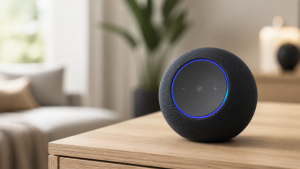
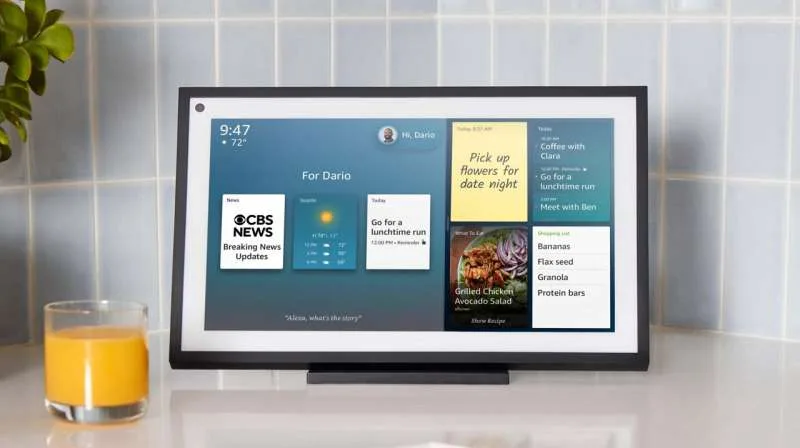
It lives in a range of hardware: the little Echo Dot that routinely drops to $25 to $30 on sale, the Echo Show displays for the kitchen, and a growing pile of third-party speakers, TVs, and soundbars with Alexa baked in. You don’t buy into Alexa so much as accumulate it.
Alexa+: The Upgrade That Finally Made It Smart
For years the knock on Alexa was fair: it was a glorified timer that fell apart the second you asked anything conversational. In 2026 that changed with Alexa+, the generative-AI overhaul. It can actually hold a back-and-forth now, follow context, and handle messy real-world requests instead of barking “I didn’t understand that” and making you feel like the problem.
The pricing is the genuinely friendly part. Alexa+ is included free if you have Amazon Prime, or it’s $19.99 a month on its own. For most households that already pay for Prime, that means the upgrade costs nothing extra, which is a rare thing to be able to say in the smart home. If you’ve been on the fence about Alexa because the old version felt dumb, this is the reason to give it another look.
Why It’s the Default, and Usually the Right One
For the overwhelmed homeowner, which is exactly who this site is for, Alexa is usually the correct answer, and I’ll say that plainly. It’s the cheapest way in, it supports the most devices, and thanks to Matter it now plays nicely with the cross-brand standard too. If you don’t have a strong reason to be somewhere else, the easy path here is also the sensible one. You can start with a single Dot and a couple of smart plugs and grow from there without ever reading a manual.
If you want to see how it stacks up against Google Home, Apple Home, and SmartThings before you commit, I broke that down in my guide to picking a smart home system. The short version: if you’re not already deep in Apple’s or Google’s world, Alexa is the comfortable middle.
The Catch: It’s a Storefront With a Microphone
Now the part Amazon would rather you skip. Alexa is, at its core, a device built by the world’s largest store, and it never fully forgets that. The privacy posture is the weakest of the major ecosystems: more of your interactions head to the cloud, and “would you like to reorder?” is never far away. None of that makes it unusable, plenty of people happily live with it, but you should go in with eyes open. You’re trading a little privacy and the occasional nudge to buy something for the lowest-friction smart home on the market.
If that trade bothers you more than the convenience helps, that’s a real signal. Apple Home is the privacy-first pick, and for hands-free luxury voice control there’s Josh.ai on the high end. But for most people, the trade is one they’ll happily make.
Getting Started Without Overthinking It
Keep the first step small. Grab one Echo Dot, plug it in, and open the Alexa app to connect it to your Wi-Fi. Add two cheap smart plugs or bulbs, name them something you’ll actually say out loud (“kitchen lamp,” not “Sengled Bulb 3”), and build one routine, like having the lights come on at sunset. That’s it. That single working loop is what hooks people, and it’s enough to know whether you want more. If you’re starting from absolute zero, my smart home from scratch guide walks the whole first day.
So, Should You Use Alexa?
For most overwhelmed homeowners, yes. It’s the cheapest, easiest, most-supported way to get a smart home that actually behaves, and Alexa+ finally made the assistant smart enough to be worth talking to. Buy a Dot, lean on Matter-certified gear so you’re not locked in, and don’t agonize over it. The one group that should look elsewhere: privacy hawks and committed Apple households, who will be happier in Apple Home. Everyone else can stop reading comparison articles and go set up a light. That’s the whole point, isn’t it.