It’s 11:47 on a Tuesday night and someone just rang my doorbell. My kids are both upstairs doing whatever it is they do in the dark with their phones, and my wife is asleep. I pull up the doorbell camera on my phone and see, with crystalline clarity, a raccoon pressing its face against the button like it’s ordering room service.
That moment, ridiculous as it was, justified every dollar I’d spent.
Finding the best video doorbell for home security in 2026 shouldn’t require a PhD in wireless protocols or a willingness to hand your credit card to a subscription mill forever. But the industry makes it harder than it needs to be. So I tested, researched, cursed at apps, and compared eight doorbells so you don’t have to stand in the Best Buy aisle wondering why there are forty options and none of them clearly explain what you’re actually paying for. Here’s what I found, who each one is for, and which ones deserve your money.
Table of Contents
- Why Your Video Doorbell Choice Actually Matters in 2026
- The Only Things Worth Caring About
- The 8 Doorbells That Survived the Gauntlet
- The Big Ugly Comparison Table
- The Subscription Shakedown, and How to Dodge It
- Frequently Asked Questions
- The Final Word From a Guy Who’s Installed Too Many of These
Why Your Video Doorbell Choice Actually Matters in 2026
Here’s the uncomfortable truth that the smart home industrial complex would prefer you ignore: most video doorbells do the same basic thing. Someone walks up, it records, it sends you a notification. Done. The differences that actually matter are hiding in the margins, in the subscription costs that bleed you for years, in whether the thing still works when your Wi-Fi hiccups at 2am, and in whether the company behind it will still support the hardware in three years or abandon it like a tent at a music festival.
2026 has brought some genuinely useful improvements. On-device AI processing is finally good enough that most doorbells can tell the difference between a person, a package, and my neighbor’s golden retriever without shipping every frame to a server farm in Virginia. Battery life on wireless models has improved to the point where you’re charging them quarterly instead of monthly. And Matter support is spreading, which means your doorbell can actually talk to the rest of your smart home without requiring a blood oath to a single company’s app.
But the garbage has gotten more sophisticated too. Some brands now lock basic features like person detection behind subscriptions that cost more per year than the doorbell itself. That’s not innovation. That’s a toll road.
Let me show you who’s doing it right.
The Only Things Worth Caring About
Video Quality That Doesn’t Become a Guessing Game
In 2026, 2K is the baseline for a doorbell that actually lets you identify faces. 1080p still exists on budget models and it’s fine for knowing someone is there, but if you ever need to show footage to police or prove a delivery driver punted your package over the fence, the extra resolution pays for itself. HDR matters more than most people realize, especially if your front door faces east or west and the sun turns every visitor into a silhouette.
Wired vs. Battery, the Eternal Question
If you have existing doorbell wiring, use it. Wired doorbells don’t die on cold nights, don’t need charging, and generally perform more consistently. If you don’t have wiring, or your old wiring is the electrical equivalent of a haunted house (like mine was when I moved in), battery models have gotten good enough that the trade-off is worth it. Just know you’ll be pulling that thing off the wall a few times a year.
Storage Without the Subscription Stranglehold
Some doorbells offer local storage on microSD cards or onboard memory. Others require cloud subscriptions to save anything beyond a live view. I’ll be blunt: if a doorbell can’t save a single clip without a monthly fee, that’s a design choice made by the accounting department, not the engineering team.
The 8 Doorbells That Survived the Gauntlet
1. Google Nest Doorbell (Wired, 2nd Gen) — Best Overall for Home Security
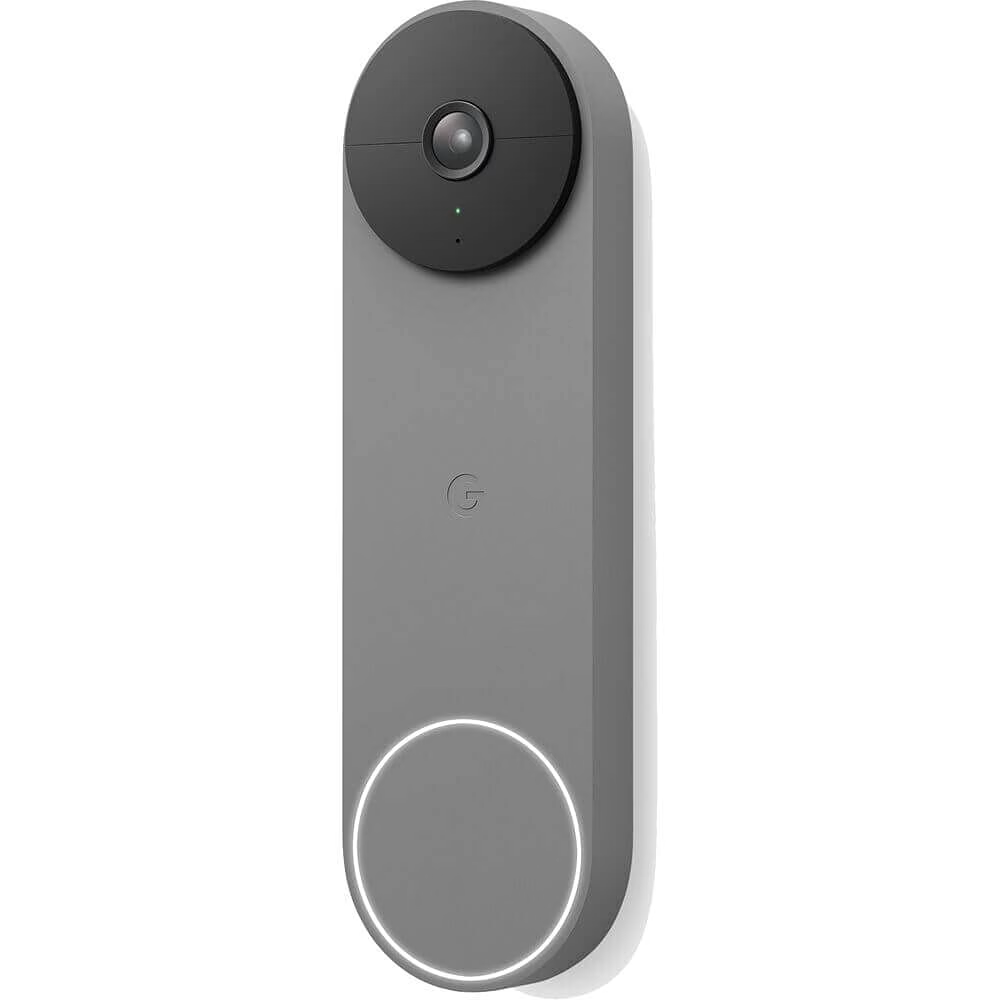
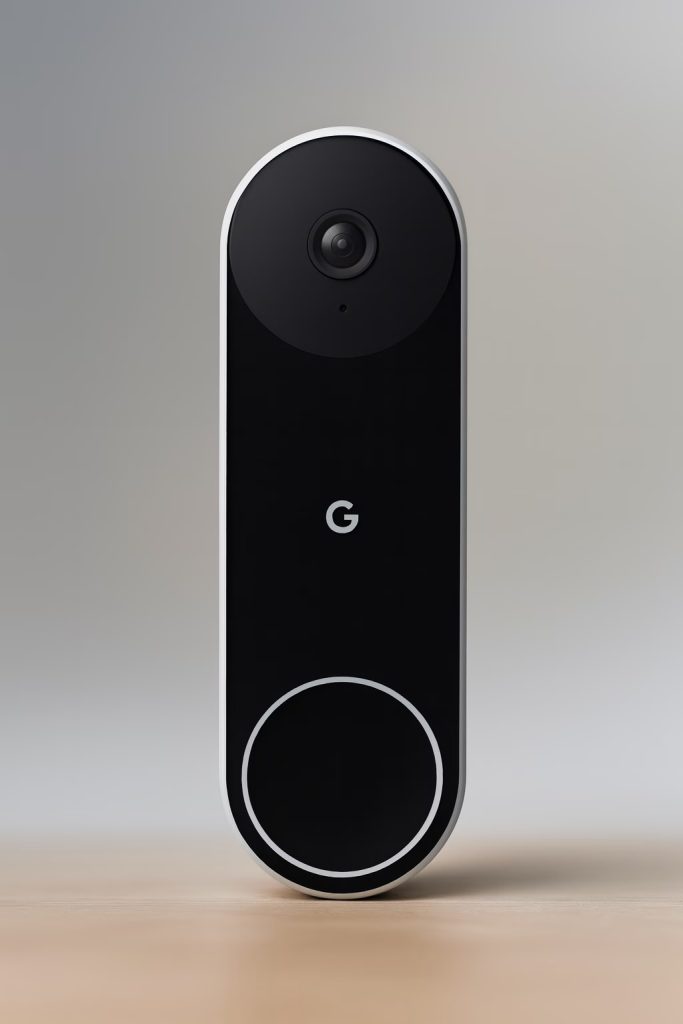
If I had to pick one doorbell to recommend to every homeowner I know, this is it. The Nest Doorbell Wired delivers 2K HDR video that looks genuinely sharp in every lighting condition I’ve thrown at it. The on-device processing handles person, package, animal, and vehicle detection without a subscription, which is a move so consumer-friendly it almost feels like an accident from Google.
The Google Home app has improved dramatically since the early Nest days. It’s not perfect, but the timeline view makes scrubbing through events quick and intuitive. Integration with Google Assistant is as tight as you’d expect. If you’re already in the Google Home world, this slots in without friction. If you’re not, it might pull you in. The 24/7 continuous recording with a Nest Aware subscription is excellent, but the free tier gives you three hours of event history, which covers most people’s needs.
✅ Best for: Homeowners who want the best all-around video doorbell with reliable smart detection and don’t mind Google’s data practices.
⚠️ Keep in mind: Requires existing doorbell wiring and a Google account. No local storage option, so you’re cloud-only.
💰 Price range: $149–$179
2. Eufy Security Video Doorbell S330 — Best for No Subscriptions, Period
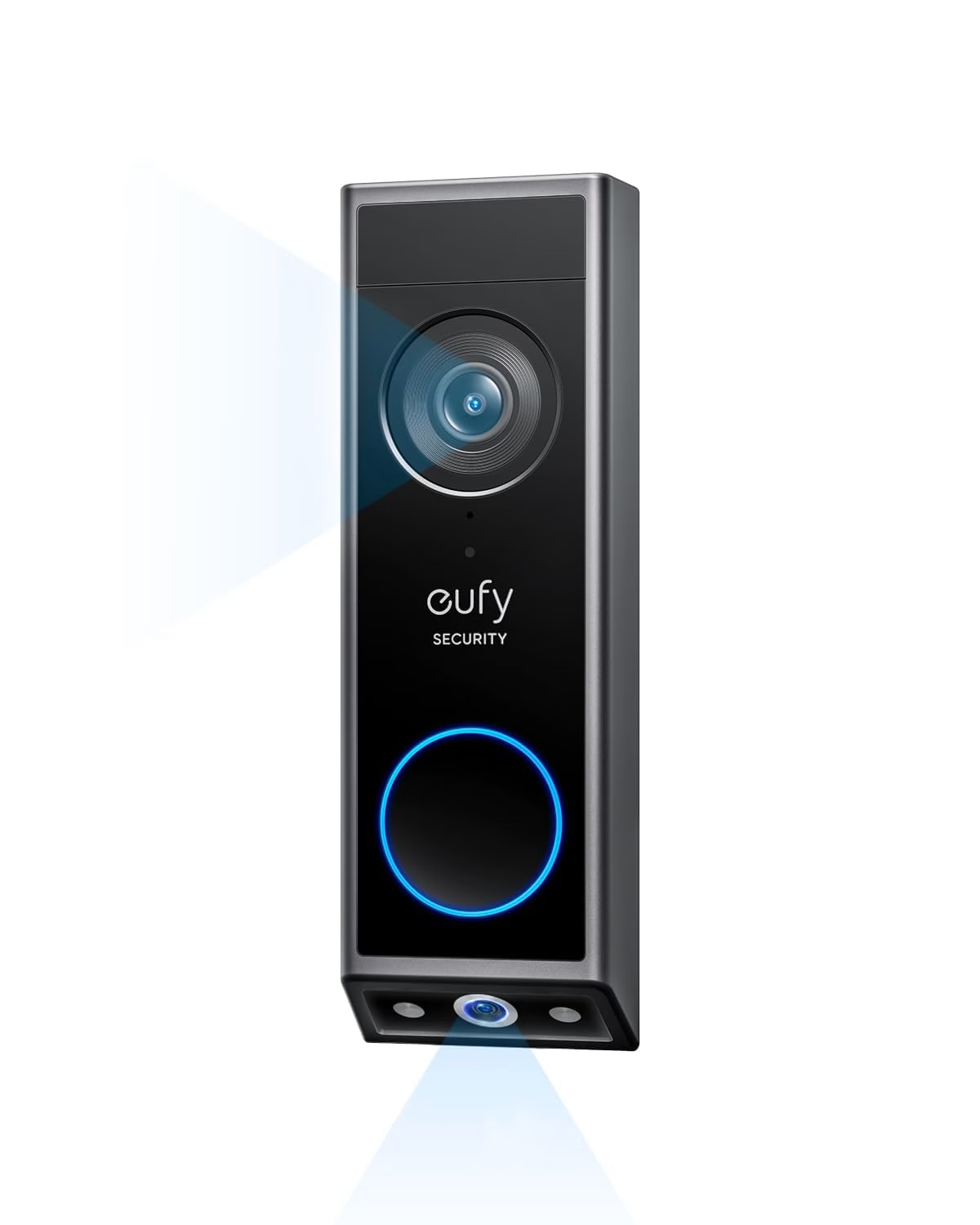
Eufy has become the patron saint of people who refuse to pay monthly fees for hardware they already bought. The S330 delivers dual cameras (yes, two lenses, one wide-angle and one zoomed) in a single unit that records everything to the included HomeBase 3 with local storage. No cloud required. No monthly fee. The footage stays in your house, which is how security footage should work if we’re being honest about what “security” means.
The dual-camera setup gives you a wide view of your porch and a tighter shot that captures faces clearly, even at night. 2K resolution on both lenses. The Eufy app isn’t going to win any design awards, but it’s functional and fast. Person detection, package detection, and even facial recognition all happen locally. If someone in a ski mask shows up at your door, this thing captures it in detail without phoning home to a corporate server first.
✅ Best for: Privacy-conscious homeowners and anyone who’s tired of paying subscriptions on top of hardware costs.
⚠️ Keep in mind: Requires the HomeBase 3 unit (included), which needs a spot near your router. Slightly bulkier than single-lens doorbells.
💰 Price range: $199–$259 (with HomeBase)
3. Ring Battery Doorbell Pro — Best Battery-Powered Option
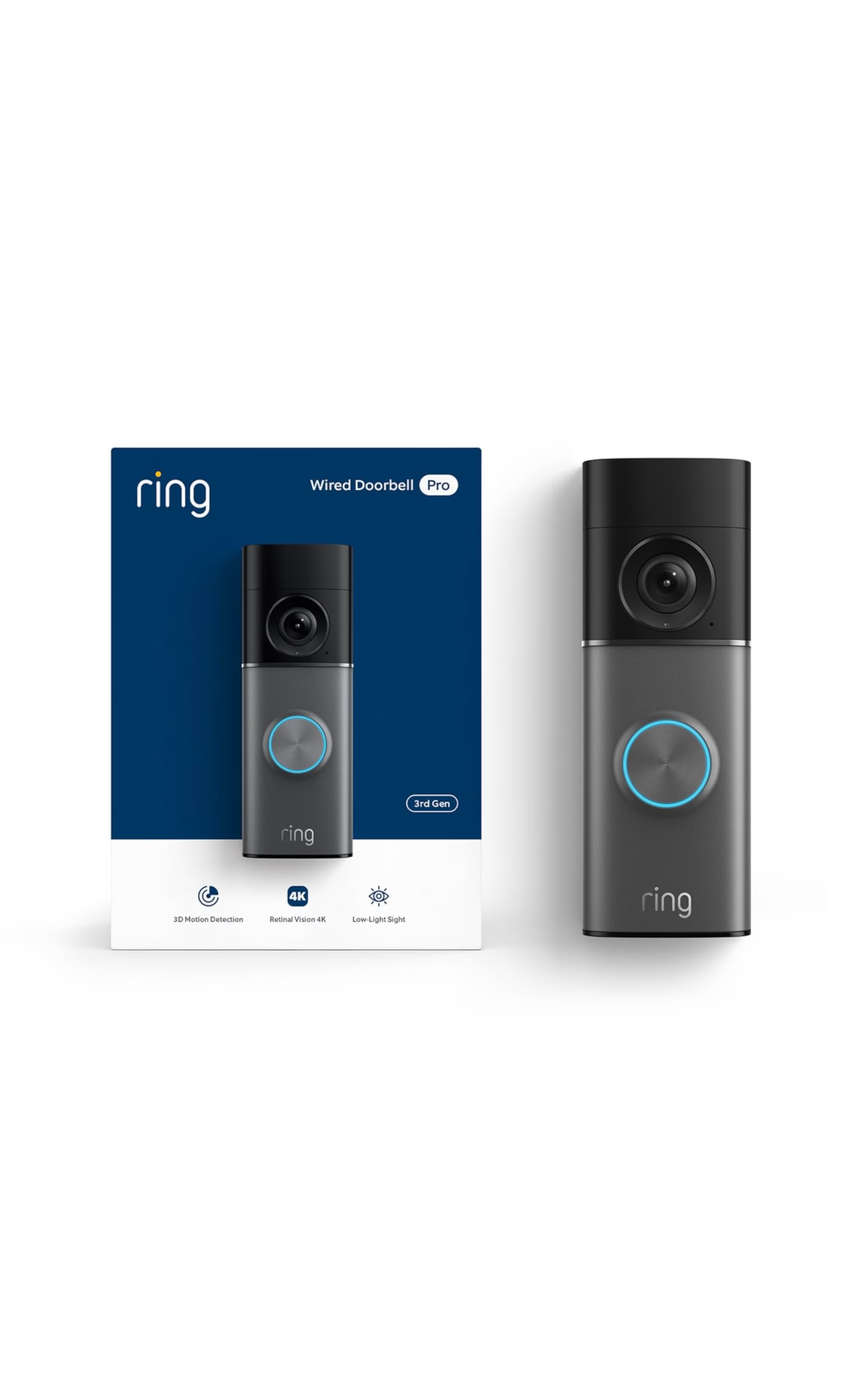
I have complicated feelings about Ring. Amazon owns them, the subscription model is aggressive, and they’ve had enough privacy controversies to fill a senate hearing. Which they have. Literally. But I can’t deny that the Battery Doorbell Pro is a well-built piece of hardware. Head-to-toe 1536p video captures full-body shots that most doorbells miss. The radar-based 3D motion detection lets you draw precise zones so you stop getting alerts every time a car drives by.
Setup is dead simple, especially if you already have an Alexa household. The integration with Echo Show devices for live view announcements is the kind of feature that makes you feel like you’re living in the future, even if you’re standing in a kitchen with cabinets from 1987, like I am. Battery life is solid, roughly 6-8 months depending on traffic and settings. The Ring app remains one of the most polished in the doorbell space.
✅ Best for: Renters, homeowners without existing wiring, and anyone deep in the Alexa world.
⚠️ Keep in mind: Ring Protect subscription ($3.99/month) is basically required for useful video history. Without it, you only get live view and real-time notifications.
💰 Price range: $179–$229
4. Reolink Video Doorbell WiFi — Best Budget Pick That Doesn’t Feel Cheap
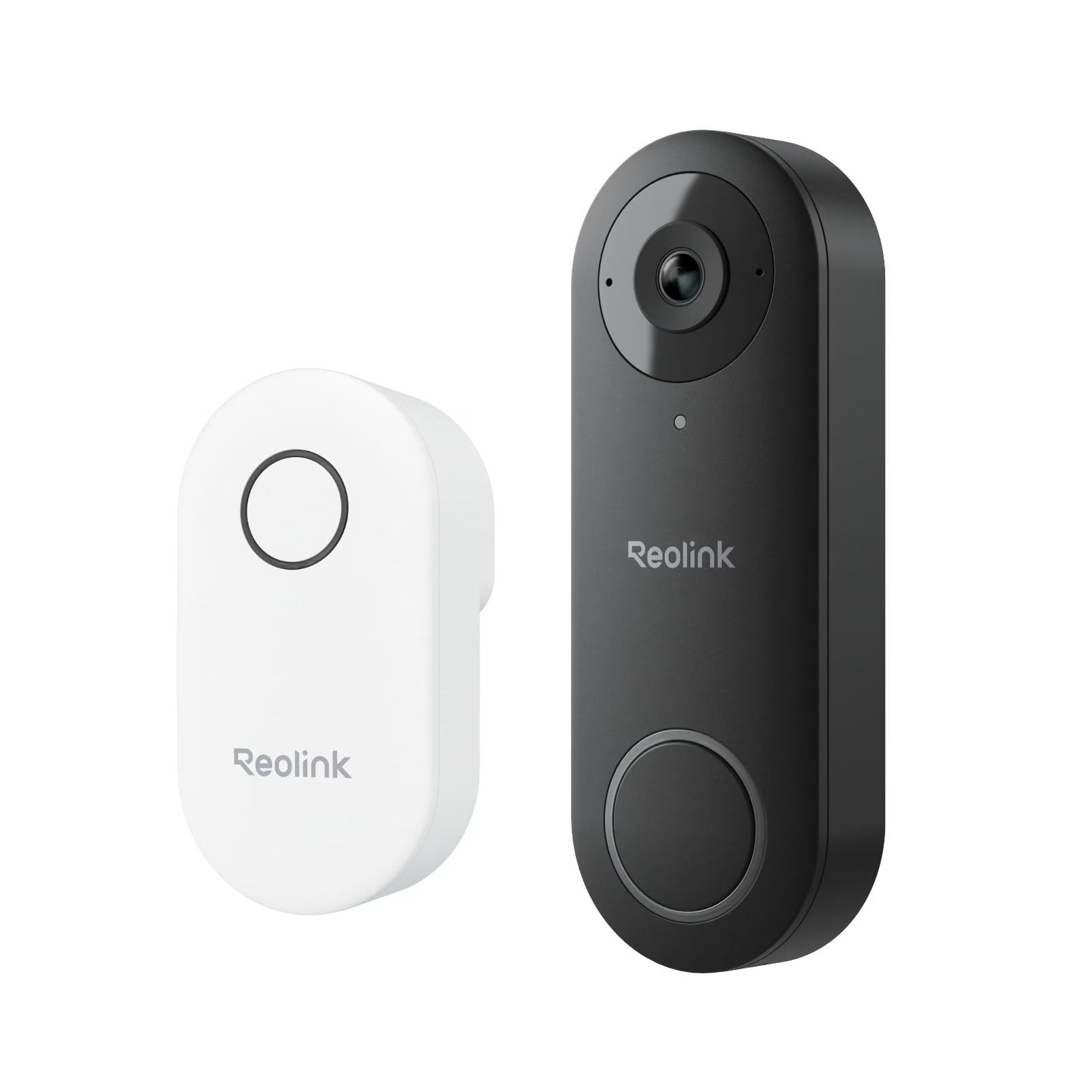
Reolink keeps doing this thing where they release hardware that costs half of what the big names charge and performs at 80-90% of the level. The Video Doorbell WiFi is exactly that. 2K+ resolution, local storage via microSD card or NVR, person detection on-device, and a price tag that doesn’t make your mortgage feel any heavier. It’s not glamorous. But it works.
The Reolink app is straightforward. Not beautiful, but organized and responsive. You get 5MP video that’s sharper than most competitors’ 2K claims, two-way audio that’s clear enough for actual conversations, and night vision that handles my poorly-lit front porch without washing everything out. No subscription needed for anything. All recording happens locally. If Reolink has a weakness, it’s that their smart detection isn’t quite as refined as Google’s or Ring’s AI. You’ll get the occasional false alert from a shadow or a large bush swaying. Livable? Absolutely.
✅ Best for: Budget-conscious homeowners who want excellent video quality without ongoing costs.
⚠️ Keep in mind: Requires PoE or existing doorbell wiring depending on model. Smart detection is good but not best-in-class.
💰 Price range: $79–$119
5. Arlo Video Doorbell 2K (2nd Gen) — Best for Apple HomeKit Diehards
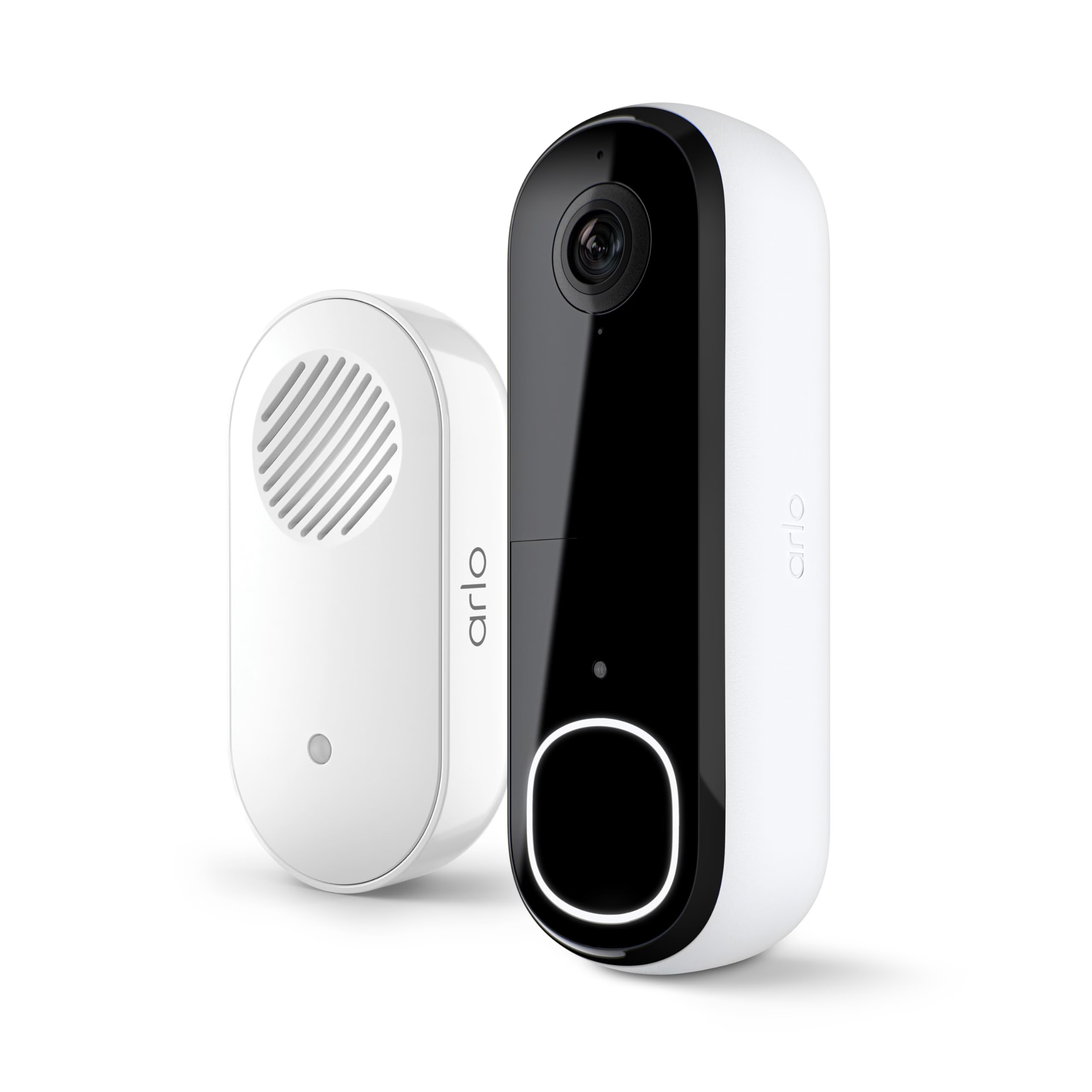
If your house runs on Apple HomeKit and you want a doorbell that plays nice without workarounds or bridges, Arlo is your answer. The 2nd Gen Video Doorbell 2K supports HomeKit Secure Video, which means recordings get encrypted end-to-end and stored in your iCloud account. Apple handles the AI processing. No Arlo subscription needed if you go this route, which is a beautiful thing.
The hardware itself is sleek and compact. 2K HDR video, a wide 180-degree field of view that shows packages on the ground without a second camera, and a built-in siren that’s loud enough to startle anyone with ill intentions. The Arlo app works fine, but the real magic is controlling everything through Apple Home. You can set automations like turning on porch lights when motion is detected, all within one app. My only gripe is that battery life is middling, around 3-4 months, which means you’re pulling it down more often than I’d like.
✅ Best for: Apple households wanting native HomeKit Secure Video support.
⚠️ Keep in mind: Battery life is shorter than competitors. Arlo’s own subscription (Arlo Secure) is pricey if you don’t use HomeKit Secure Video.
💰 Price range: $129–$179
6. Ring Video Doorbell Wired — Best Ultra-Budget Entry Point
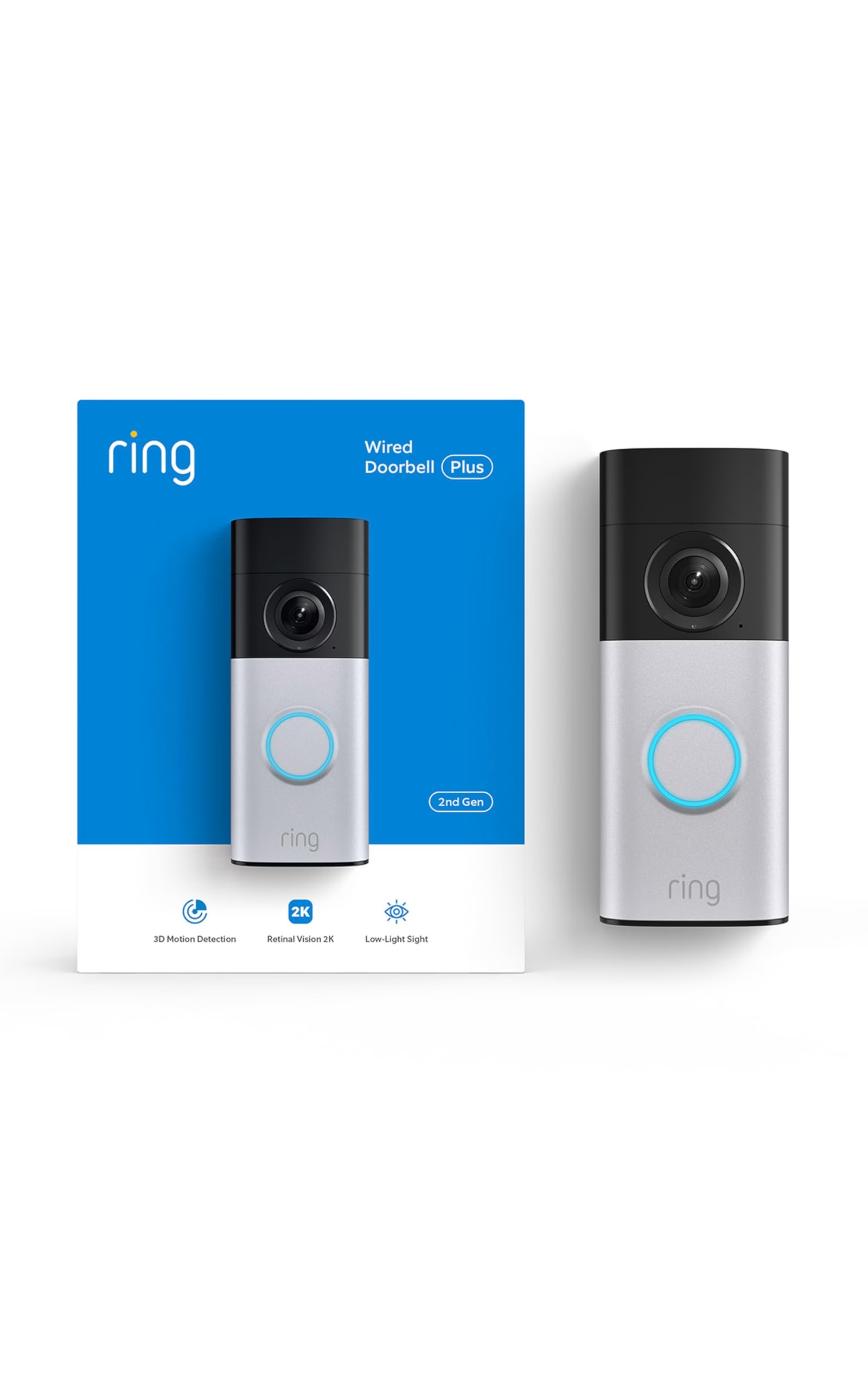
Sometimes you just need a doorbell camera and you need it to cost less than a decent dinner for two. The Ring Video Doorbell Wired is Ring’s most affordable offering, and at its price point, it’s shockingly competent. 1080p video, motion-activated notifications, night vision, and the full Ring app experience. It’s not going to blow you away, but it gets the job done with more polish than anything else in this price bracket.
The trade-offs are real. 1080p in 2026 looks a little soft compared to 2K competitors. There’s no battery option, so you need existing wiring. And you’ll almost certainly want Ring Protect to make it useful beyond live viewing. But if you’re outfitting a side door, a back entrance, or a rental property where you need a camera yesterday and can’t justify spending $200, this is the play.
✅ Best for: First-time buyers on a tight budget, or anyone adding a camera to a second or third entrance.
⚠️ Keep in mind: 1080p only. Requires wiring. Subscription strongly recommended for practical use.
💰 Price range: $49–$64
7. Amcrest SmartHome Video Doorbell — Best for the Tinker-Happy Crowd
The Amcrest doorbell is for people who read spec sheets for fun and have opinions about RTSP streams. If that sentence excited you, keep reading. This 2K doorbell supports RTSP and ONVIF, which means you can pipe the video feed into Home Assistant, Blue Iris, Frigate, or whatever surveillance setup you’re running in your closet server rack. It also stores footage locally on a microSD card without any cloud requirement.
The Amcrest app is functional but not elegant. Think of it as the doorbell equivalent of a pickup truck: it hauls what you need, the seats aren’t leather, and nobody compliments the paint job. But the open protocol support makes this thing wildly flexible compared to locked-down competitors. If you’ve built your smart home around local control and you want your doorbell footage flowing into the same system as your indoor cameras, this is the one. No subscriptions, no walled garden, no bullshit.
✅ Best for: Home Assistant users, DIY security enthusiasts, and anyone who values open protocols over polished apps.
⚠️ Keep in mind: The app experience is behind Ring and Google by a wide margin. Setup requires more technical comfort than mainstream options.
💰 Price range: $89–$129
8. Lorex 2K Video Doorbell — Best for Existing Lorex Security Systems
Lorex has been making security cameras since before “smart home” was a phrase anyone used, and their 2K Video Doorbell carries that legacy of straightforward, no-nonsense hardware. 2K resolution, color night vision that actually works (not the washed-out green tint some brands call “night vision”), and local storage on a microSD card or integration with Lorex NVR systems. If you already have Lorex cameras around your property, this doorbell joins the family without drama.
The Lorex Home app handles everything centrally, so you can check your doorbell, backyard camera, and garage camera from one screen. Person detection works on-device. The build quality feels more industrial than consumer, which is either a compliment or a concern depending on how much you care about aesthetics. It’s not the prettiest doorbell on this list, but it might be the most rugged. No subscription required for core features.
✅ Best for: Homeowners with existing Lorex security camera setups who want a unified system.
⚠️ Keep in mind: Less smart home integration than Ring or Google. The design is utilitarian. Limited voice assistant support.
💰 Price range: $149–$199
The Big Ugly Comparison Table
Because sometimes you just need everything side by side so you can stare at it until clarity arrives, like EKG readouts from some electronic heart monitor of your purchasing decisions.
| Doorbell | Resolution | Power | Local Storage | Subscription Required? | Price Range |
|---|---|---|---|---|---|
| 🏆 Google Nest Wired (2nd Gen) | 2K HDR | Wired | No | No (free tier available) | $149–$179 |
| Eufy S330 | 2K Dual Lens | Wired | Yes (HomeBase) | No | $199–$259 |
| Ring Battery Doorbell Pro | 1536p | Battery | No | Effectively yes | $179–$229 |
| Reolink WiFi | 2K+ (5MP) | Wired/PoE | Yes (microSD) | No | $79–$119 |
| Arlo 2K (2nd Gen) | 2K HDR | Battery/Wired | Via HomeKit/iCloud | No (with iCloud+) | $129–$179 |
| Ring Wired | 1080p | Wired | No | Effectively yes | $49–$64 |
| Amcrest SmartHome | 2K | Wired | Yes (microSD) | No | $89–$129 |
| Lorex 2K | 2K | Wired | Yes (microSD/NVR) | No | $149–$199 |
The Subscription Shakedown, and How to Dodge It
Let’s talk about the elephant in the room. Or, more accurately, the python slowly constricting your bank account alongside your mortgage.
Ring charges $3.99/month per device or $13.99/month for unlimited devices. Google Nest Aware runs $8/month for standard or $15/month for the Plus tier. Arlo Secure is $7.99/month per camera or $17.99 for unlimited. Over five years, these subscriptions can cost more than the hardware itself. That’s not an accident. That’s the business model.
The companies pushing subscriptions hardest are the ones that make the most polished hardware. Funny how that works.
Your escape routes in 2026 are better than ever. Eufy, Reolink, Amcrest, and Lorex all offer local storage with zero recurring fees. Google’s free tier gives you enough to be useful. Apple’s HomeKit Secure Video piggybacks on your existing iCloud+ subscription. If you’re evaluating the best video doorbell for home security in 2026, factor in the three-year total cost of ownership, not just the sticker price. A $79 Reolink with no subscription costs $79 over three years. A $49 Ring Wired with Ring Protect Basic costs $192 over the same period.
Math doesn’t lie, even when marketing does.
Q: Do I need a subscription for a video doorbell to work?
A: No. Most video doorbells work for live viewing without a subscription. But cloud recording, person detection, and other smart features usually require a monthly plan. Doorbells from Eufy, Reolink, and Amcrest offer local storage options that avoid ongoing fees entirely.
Q: Can I install a video doorbell myself without existing wiring?
A: Yes. Battery-powered doorbells like the Ring Battery Doorbell Pro and Arlo Video Doorbell 2K need no wiring at all. You mount them with screws or adhesive and charge the battery every few months. If you have old doorbell wiring, most wired models connect to it in about 20 minutes.
Q: What is the best video doorbell for home security in 2026?
A: For most homeowners, the Google Nest Doorbell Wired (2nd Gen) offers the best combination of video quality, smart detection, and reliability. If you want to avoid subscriptions entirely, the Eufy Security Video Doorbell S330 is the strongest choice with local storage and no monthly fees.
Q: Do video doorbells work in extreme cold or heat?
A: Most video doorbells are rated for temperatures between -4°F and 122°F. Battery models lose charge faster in extreme cold. If you live in a climate with harsh winters, a wired doorbell is more reliable since it doesn’t depend on battery performance. I’m in the Chicago suburbs, and my wired Nest hasn’t flinched through two polar vortexes.
Q: Can someone hack my video doorbell?
A: Any internet-connected device carries some risk, but you can minimize it significantly. Use a strong unique password, enable two-factor authentication, and keep firmware updated. Local storage doorbells reduce cloud exposure. Avoid reusing passwords from other accounts.
Q: What video resolution should I look for in a doorbell camera?
A: For clear facial recognition and package monitoring, 2K resolution or higher is ideal in 2026. 1080p still works but can look soft in low light or at wider angles. HDR support matters more than raw resolution for handling tricky lighting like a bright sky behind a visitor.
The Final Word From a Guy Who’s Installed Too Many of These
I’ve mounted doorbells in freezing rain. I’ve drilled into century-old brick that fought back like it had opinions. I’ve stood on my porch at midnight testing motion zones while my neighbor pretended not to watch from behind his blinds. I’ve done this so you can make a smarter choice without the suffering.
Here’s the short version. The Google Nest Doorbell Wired is the best video doorbell for home security in 2026 for most people. If subscriptions make your eye twitch, the Eufy S330 or Reolink WiFi will serve you brilliantly without ever asking for another dollar. If you’re battery-only, the Ring Battery Doorbell Pro is the one to beat. And if you’re running Home Assistant in your basement like some kind of domestic mad scientist, the Amcrest is your people.
Your front door is where the outside world meets your family. A good video doorbell isn’t about being paranoid. It’s about being present, even when you’re not physically there. Whether it’s a delivery driver, a neighbor, or a raccoon with boundary issues, you deserve to know who’s knocking.
Check current prices using the links above. Amazon pricing changes frequently and deals appear often, especially around Prime Day and the holidays. Whatever you pick, you’re making a smart move. Your front door deserves better than a peephole and a prayer.