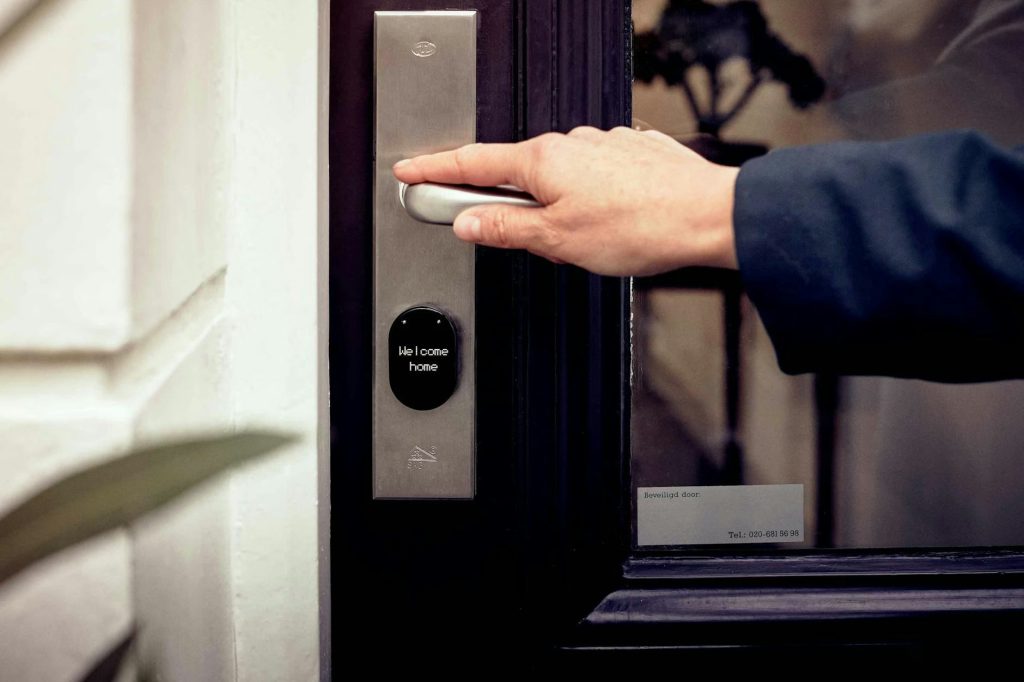
If you’ve ever coordinated a guest check-in from across town — or across the country — you already know the pain. Lost keys, awkward lockbox combos, late-night texts asking “where do I find the key again?” It’s enough to make any Airbnb host question their life choices.
Smart locks solve almost all of these headaches. They let you generate unique guest codes, grant (and revoke) access remotely, and keep a digital log of who comes and goes. But not every smart lock is built for the demands of short-term rental hosting. You need something reliable, easy for guests to figure out, and simple enough to manage from your phone.
In this guide, we’ll break down the best smart locks for Airbnb hosts in 2026, covering remote access, guest code management, installation ease, durability, and overall value. Whether you manage one listing or ten, you’ll find the right fit here.
Table of Contents
- What to Look for in a Smart Lock for Airbnb
- Our Top 5 Smart Locks for Airbnb Hosts in 2026
- Side-by-Side Comparison Table
- Guest Code Management: Why It Matters More Than You Think
- Installation Tips: What Hosts Need to Know
- Smart Home Integrations for Airbnb Properties
- Common Mistakes Airbnb Hosts Make with Smart Locks
- Frequently Asked Questions
- Final Verdict: Which Smart Lock Should You Buy?
What to Look for in a Smart Lock for Airbnb
Not every smart lock that works great for a homeowner is ideal for a rental property. Hosting introduces a unique set of demands. Here are the features that matter most:
Remote Access
You need to be able to lock, unlock, and manage your door from anywhere with a phone. Some locks require a separate Wi-Fi bridge or hub for remote access. Others have it built in. If you’re managing properties from a distance, built-in Wi-Fi is a big plus.
Temporary Guest Codes
The ability to create unique PIN codes for each guest, and set them to automatically expire at checkout. That is arguably the single most important feature for hosts. No more changing lockbox combos between guests.
Auto-Lock
Guests will forget to lock the door. It’s not a matter of “if” but “when.” An auto-lock feature that engages after a set period of time is essential for security and peace of mind.
Durability & Battery Life
Your lock needs to handle dozens (or hundreds) of entries per month. Look for models with long battery life (ideally 6–12 months) and sturdy construction rated for exterior use.
Easy Guest Experience
If a guest can’t figure out how to get in at 11 PM after a long flight, you’re going to get a bad review. A visible, backlit keypad with simple code entry is the gold standard for rental properties.
Integration with Airbnb or Property Management Software
Some locks integrate directly with platforms like Airbnb, VRBO, Hospitable, or Guesty, automatically generating and sending guest codes when a booking is confirmed. This level of automation is a massive time-saver for hosts managing multiple properties.
Our Top 5 Smart Locks for Airbnb Hosts in 2026
We’ve tested and researched dozens of smart locks to narrow it down to these five. Each one brings something different to the table, from budget-friendly simplicity to premium automation.
1. Schlage Encode Plus — Best Overall for Airbnb Hosts
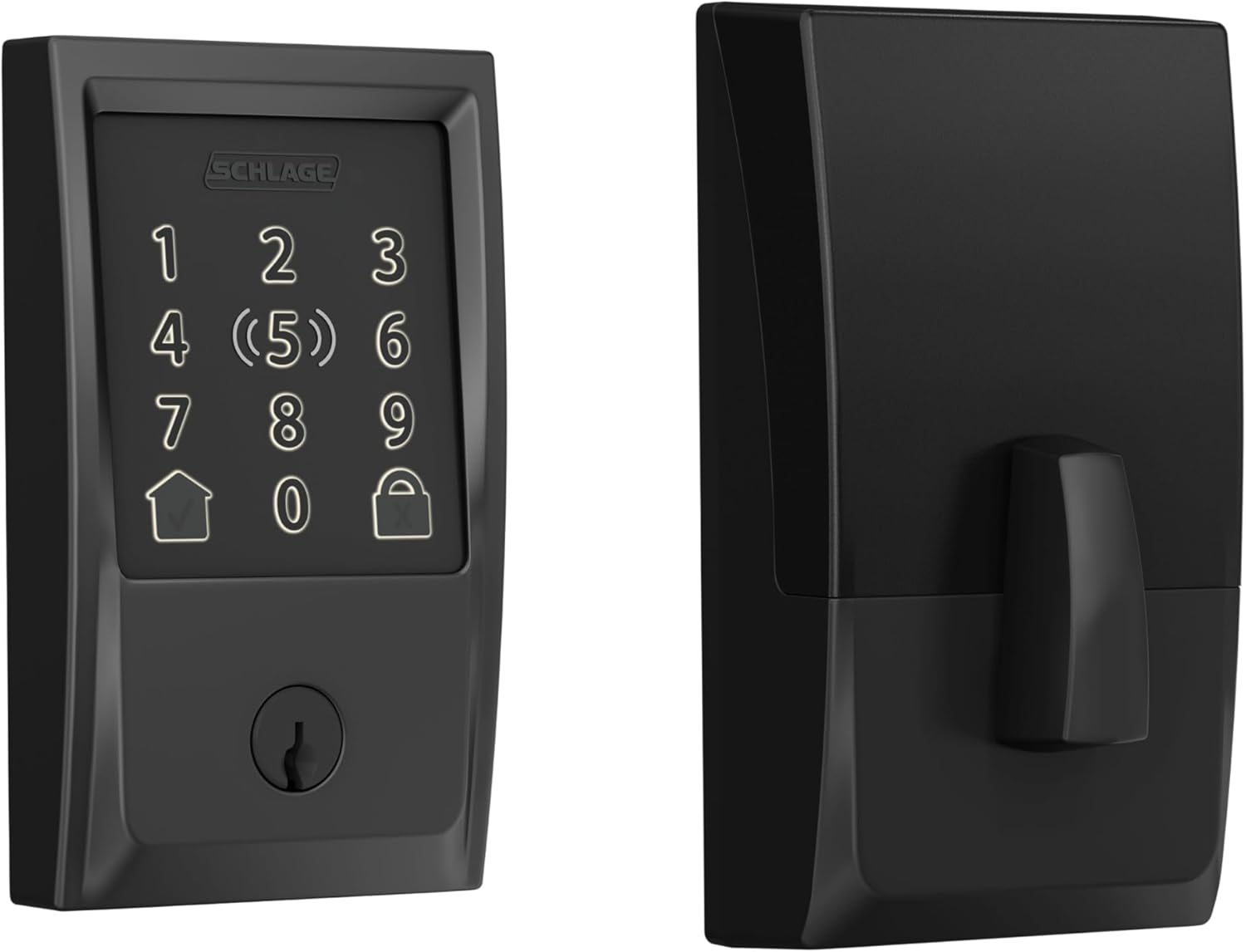
The Schlage Encode Plus has earned its reputation as the go-to smart lock for short-term rental hosts, and the 2026 model continues to deliver. It features built-in Wi-Fi (no hub or bridge required), a large backlit keypad, and support for up to 100 access codes. It’s also one of the few locks that supports Apple Home Key, which is handy if your guests are iPhone users.
Schlage’s app makes it straightforward to create time-limited codes, and the lock integrates with Amazon Alexa, Google Home, and SmartThings. The ANSI/BHMA Grade 1 rating means this is commercial-grade durability. It can take a beating from constant use.
✅ Best for: Hosts who want a reliable, fully-featured lock that doesn’t require extra hubs.
⚠️ Keep in mind: No direct Airbnb integration, so you’ll need to create and assign guest codes manually through the app.
💰 Price range: Around $280–$330.

2. Yale Assure Lock 2 (Wi-Fi) — Best for Smart Home Integration
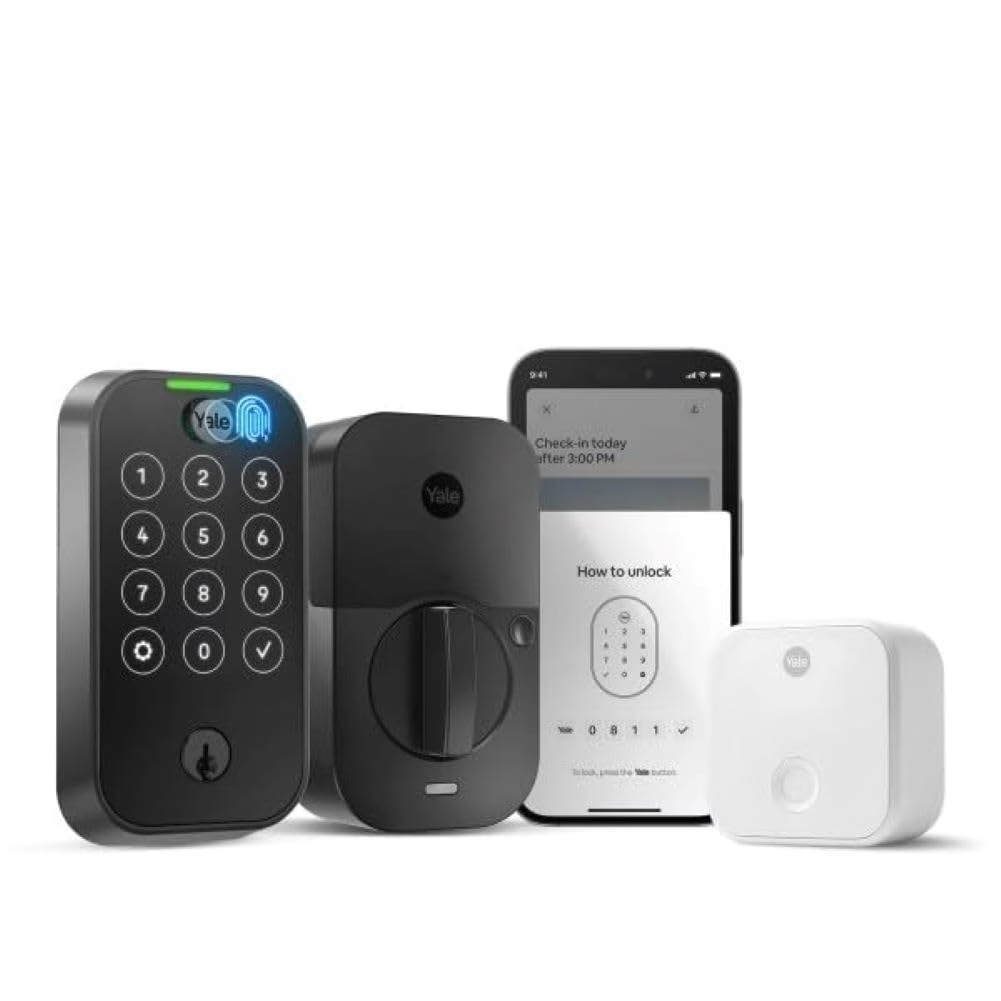
The Yale Assure Lock 2 is a sleek, modular lock that comes in keypad and touchscreen versions. With the Wi-Fi module (sold as a bundle or separately), you get full remote access without a hub. Yale’s partnership with August means you get the excellent August app experience, which is one of the best in the business for managing guest access.
What really sets the Yale Assure Lock 2 apart is its integration ecosystem. It works natively with Airbnb’s direct integration (through the August app), as well as popular property management platforms like Hospitable and Guesty. When a guest books, a unique code can be generated and sent automatically. That’s about as hands-off as hosting gets.
✅ Best for: Hosts who want tight Airbnb platform integration and automation.
⚠️ Keep in mind: Battery life is shorter than the Schlage at roughly 9 months, and the Wi-Fi module is sometimes sold separately.
💰 Price range: Around $230–$280 (with Wi-Fi module).

3. August Wi-Fi Smart Lock (4th Gen) — Best Retrofit Option
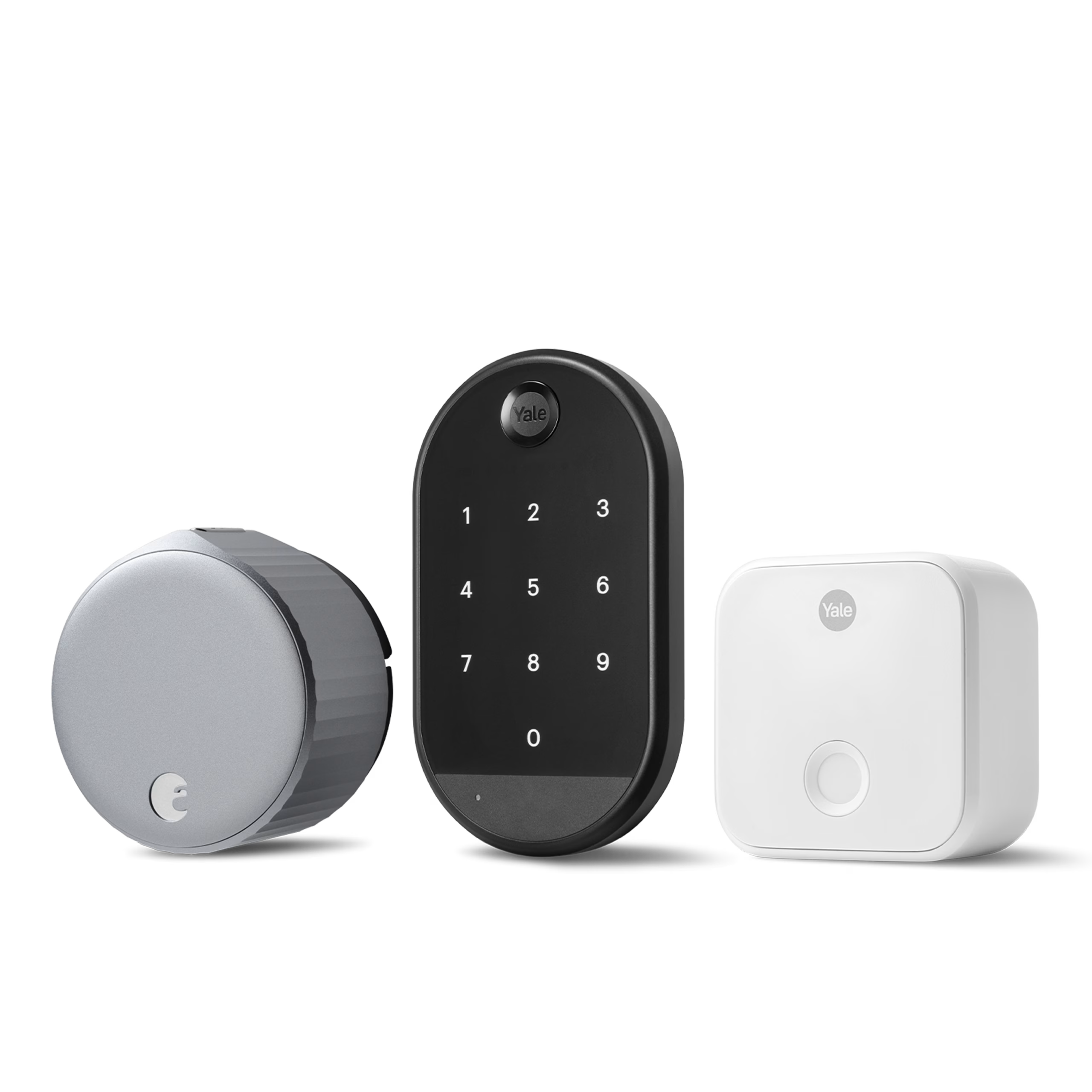
The August Wi-Fi Smart Lock (4th Gen) is unique on this list because it installs on the inside of your existing deadbolt. That means your door looks exactly the same from the outside. No visible keypad, no indication that there’s a smart lock at all. This can be important if you’re in a condo or HOA that restricts exterior modifications.
Since there’s no external keypad, guest access is handled through the August app (guests receive a link to unlock remotely) or you can pair it with the August Smart Keypad (sold separately, around $45) to add a PIN code entry option, which we’d strongly recommend for Airbnb use. The August app is excellent and supports direct Airbnb integration for automatic guest code generation. Auto-lock and DoorSense (which tells you if the door is closed and locked) are included.
✅ Best for: Hosts who need to keep their existing deadbolt or can’t modify the door exterior.
⚠️ Keep in mind: Battery life is the shortest on this list at about 6 months, and the keypad costs an extra $45.
💰 Price range: Around $230 (plus $45 for the keypad).

4. Kwikset Halo Touchscreen — Best Value Pick
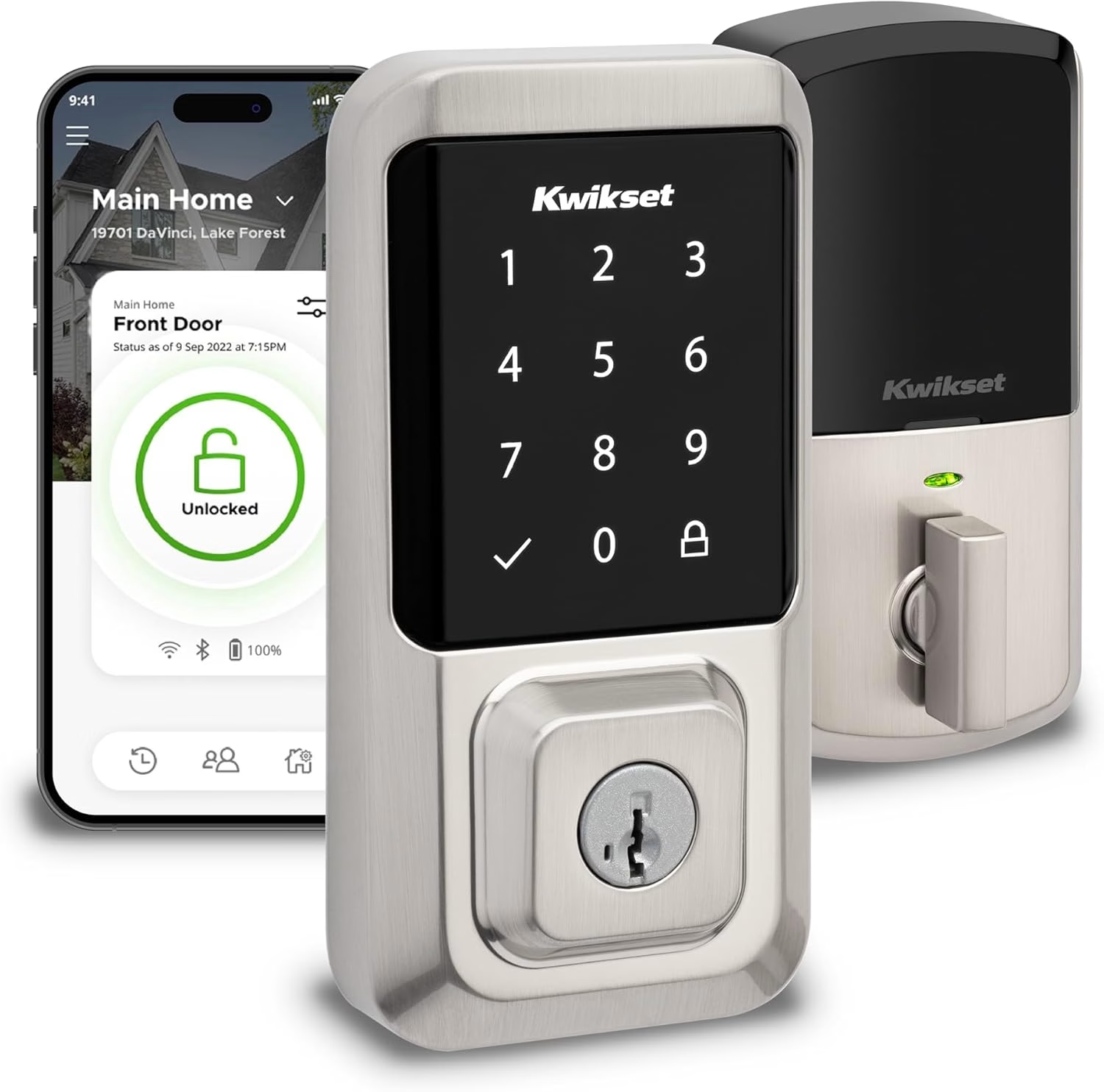
If you want a capable smart lock without the premium price tag, the Kwikset Halo Touchscreen is a fantastic choice. It has built-in Wi-Fi, a capacitive touchscreen for code entry, and supports up to 250 user codes, the most on this list. The Kwikset app lets you create and manage time-limited codes remotely.
Kwikset’s SmartKey Security feature is a nice bonus: it lets you re-key the lock yourself in seconds without a locksmith. Handy if you ever need to change the physical key. The lock works with Amazon Alexa and Google Home, though it doesn’t support Apple HomeKit. The build quality is solid (ANSI/BHMA Grade 2), and installation is genuinely simple. Most hosts can do it in 15 minutes with just a screwdriver.
✅ Best for: Budget-conscious hosts who still want full remote access and plenty of codes.
⚠️ Keep in mind: No Apple HomeKit support and no direct Airbnb integration, so codes must be managed manually through the app.
💰 Price range: Around $180–$220.
5. Level Lock+ — Best for Design-Conscious Hosts
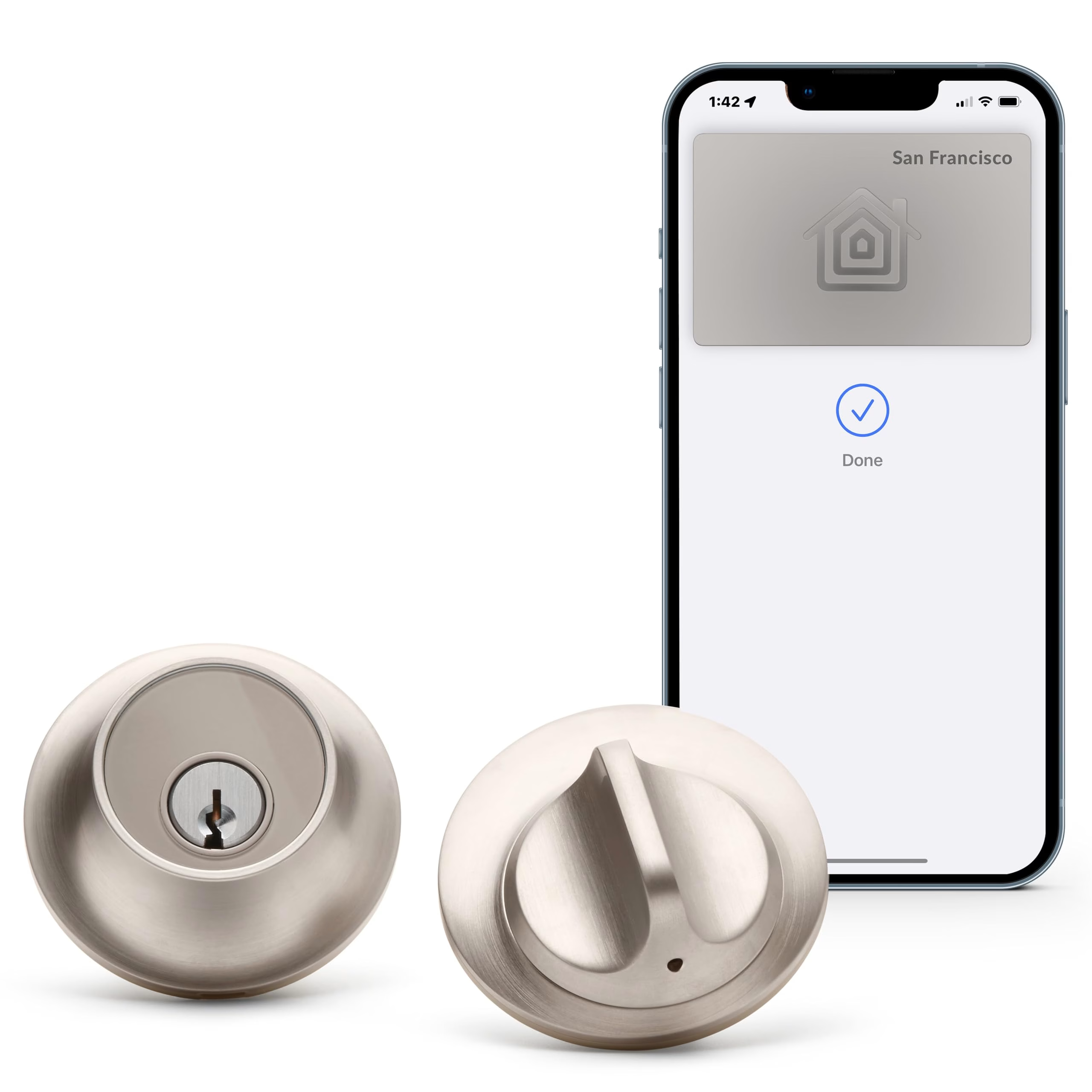
The Level Lock+ is the most discreet smart lock on the market. From the outside, it looks like a completely standard deadbolt. All the smart technology is hidden inside the lock body itself. There’s no external keypad, no bulky housing, nothing to signal “smart lock” to anyone passing by.
Guest access is handled through the Level app (digital keys shared via text or email) or Apple Home Key (tap to unlock with an iPhone or Apple Watch). For Airbnb use, you can pair it with a standard keypad or rely on app-based access. The Level Lock+ also supports Matter, making it compatible with a wide range of smart home platforms.
✅ Best for: Hosts with design-forward properties who don’t want a visible tech gadget on the door.
⚠️ Keep in mind: No built-in keypad means guests need either a smartphone or an add-on keypad, which may cause friction for some guest demographics.
💰 Price range: Around $330–$350.

Side-by-Side Comparison Table
| Feature | Schlage Encode Plus | Yale Assure Lock 2 | August Wi-Fi (4th Gen) | Kwikset Halo | Level Lock+ |
|---|---|---|---|---|---|
| 🏆 Built-in Wi-Fi | ✅ Yes | ✅ Yes (with module) | ✅ Yes | ✅ Yes | ❌ No (Bluetooth + Matter) |
| External Keypad | ✅ Yes | ✅ Yes | ❌ Sold separately | ✅ Yes | ❌ No |
| Max Access Codes | 100 | 250 (via app) | Unlimited (app-based) | 250 | Unlimited (app-based) |
| Auto-Lock | ✅ Yes | ✅ Yes | ✅ Yes | ✅ Yes | ✅ Yes |
| Airbnb Direct Integration | ❌ No (manual codes) | ✅ Yes (via August) | ✅ Yes (via August) | ❌ No (manual codes) | ❌ Limited |
| Apple HomeKit | ✅ Yes | ✅ Yes | ✅ Yes | ❌ No | ✅ Yes |
| Durability Rating | ANSI Grade 1 | ANSI Grade 2 | N/A (retrofit) | ANSI Grade 2 | ANSI Grade 2 |
| Battery Life | ~12 months | ~9 months | ~6 months | ~12 months | ~12 months |
| Price (approx.) | $280–$330 | $230–$280 | $230 + $45 keypad | $180–$220 | $330–$350 |
Guest Code Management: Why It Matters More Than You Think
Let’s talk about something that separates a good Airbnb operation from a chaotic one: how you handle access codes.
With a traditional lock, you’re handing out the same key or code to every guest. If someone copies it or shares it, you have a security problem. Smart locks fix this by letting you create unique, time-limited codes for each reservation.
Here’s what an ideal code management workflow looks like:
- Booking confirmed → A unique 4–8 digit code is generated automatically.
- Code is active only during the stay → It starts working at check-in time and expires at checkout.
- Guest receives the code → Via automated message through Airbnb or your property management platform.
- Code deactivates after checkout → No manual work required on your end.
The Yale Assure Lock 2 and August Wi-Fi Smart Lock both support this fully automated workflow through integrations with Airbnb and property management tools like Hospitable, Guesty, and OwnerRez. The Schlage Encode Plus and Kwikset Halo require you to create and assign codes manually through their apps. Still convenient, but not fully hands-off.
Installation Tips: What Hosts Need to Know
One of the great things about modern smart locks is that most of them are designed for DIY installation. You typically don’t need a locksmith. Here’s what to expect:
Standard Installation (Schlage, Yale, Kwikset)
These locks replace your existing deadbolt entirely. You’ll need a Phillips-head screwdriver and about 15–30 minutes. The process involves removing your old deadbolt, inserting the new latch and exterior assembly, and attaching the interior motor housing. Most models come with clear, step-by-step instructions and video walkthroughs.
Important: Before you buy, check your door’s backset (the distance from the edge of the door to the center of the deadbolt hole). Most locks fit a standard 2-3/8″ or 2-3/4″ backset, but measure first.
Retrofit Installation (August, Level)
The August and Level locks install on the inside of your existing deadbolt, so the exterior hardware stays exactly the same. This is ideal if you’re renting a property you don’t own (with landlord permission, of course) or if your HOA has rules about exterior modifications. Installation takes about 10 minutes.
Door Compatibility
Most smart locks work with standard US residential doors (1-3/8″ to 1-3/4″ thick). If you have a non-standard door thickness, a multi-point lock, or a mortise lock, you’ll need to check compatibility carefully. Some brands (like Yale) offer mortise-specific models.
Smart Home Integrations for Airbnb Properties
A smart lock doesn’t have to work in isolation. Pairing it with other smart home devices can create a smooth, automated guest experience:
- Smart Thermostat (Nest, ecobee): Set the thermostat to an energy-saving mode when the property is vacant, then automatically adjust to a comfortable temperature when a guest code is used to unlock the door.
- Smart Lights (Philips Hue, Lutron Caseta): Program the entryway lights to turn on when the door is unlocked after sunset. Guests arriving late will appreciate not fumbling in the dark.
- Video Doorbell (Ring, Google Nest Doorbell): Get notified when someone is at the door. This can help you monitor unauthorized visitors or confirm that cleaners have arrived.
- SmartThings or Hubitat Hub: Use a central hub to create automations that tie everything together. “When front door is unlocked by guest code, turn on living room lights, set thermostat to 72°F, and disarm the security system.”
These automations aren’t just cool tech tricks. They reduce your energy bills, improve the guest experience, and make your listing feel more premium, which can justify higher nightly rates.
Common Mistakes Airbnb Hosts Make with Smart Locks
We’ve seen (and heard about) a lot of smart lock mishaps in the hosting community. Here are the most common mistakes — and how to avoid them:
1. Not Testing the Lock Before Listing
Install the lock, set up a guest code, and then physically go outside and test it yourself. Try it multiple times. Make sure the latch aligns properly and the code works on the first try. A misaligned latch is the #1 cause of smart lock frustration.
2. Forgetting to Monitor Battery Levels
Most smart locks send low-battery alerts through their app, but only if you have notifications enabled. Running out of battery mid-stay is a nightmare scenario. Set a calendar reminder to check battery levels monthly, or swap batteries proactively every 6 months regardless of the level.
3. Not Providing Clear Instructions
Even the simplest keypad lock can confuse a tired traveler. Include clear, step-by-step entry instructions in your Airbnb listing description, your check-in message, and ideally printed on a small card near the lock. Something like: “Enter your 4-digit code, then press the checkmark button. Wait for the green light, then turn the handle.”
4. Relying on Wi-Fi for Keypad Codes
Here’s something many hosts don’t realize: keypad codes on locks like the Schlage Encode Plus and Kwikset Halo work locally, even if your Wi-Fi goes down. The codes are stored on the lock itself. However, you won’t be able to create new codes remotely without an internet connection. Make sure codes are set up well in advance of guest arrivals.
5. Skipping the Activity Log
Most smart locks keep a log of every lock and unlock event. This is incredibly valuable for confirming check-out times, verifying cleaning crew arrivals, and resolving disputes. Review it regularly.
Frequently Asked Questions
Q: What is the best smart lock for Airbnb hosts in 2026?
A: The Schlage Encode Plus is the best overall smart lock for Airbnb hosts in 2026. It offers built-in Wi-Fi, a backlit keypad, up to 100 access codes, commercial-grade durability (ANSI Grade 1), and 12-month battery life, all without requiring a separate hub. For hosts who want automated code generation tied directly to Airbnb bookings, the Yale Assure Lock 2 is the top choice thanks to its August app integration.
Q: Can guests use a smart lock without downloading an app?
A: Yes. Locks with external keypads, like the Schlage Encode Plus, Yale Assure Lock 2 (keypad version), and Kwikset Halo, let guests enter using a simple PIN code. No app download, no Bluetooth pairing, no smartphone required. This is the most guest-friendly approach and the one we recommend for most Airbnb properties.
Q: Do smart locks work if the Wi-Fi goes out?
A: Yes, keypad-based smart locks store access codes locally on the device. Guests can still enter their PIN code and get in, even during a Wi-Fi outage. What you won’t be able to do is manage the lock remotely (create new codes, check the activity log, or lock/unlock from your phone) until the internet connection is restored.
Q: Are smart locks allowed on Airbnb?
A: Absolutely. Smart locks are not only allowed but widely encouraged by Airbnb. The platform supports self-check-in features in the listing setup and even offers direct integration with certain lock brands (like Yale/August). Just make sure to disclose that the lock records entry and exit activity, as required by Airbnb’s monitoring device policy.
Q: How often do smart lock batteries need to be replaced?
A: Most smart locks last between 6 and 12 months on a single set of batteries, depending on usage frequency. High-traffic Airbnb properties may see shorter battery life. Models like the Schlage Encode Plus and Kwikset Halo tend to last the longest (up to 12 months), while the August Wi-Fi Smart Lock typically needs new batteries every 4–6 months due to its always-on Wi-Fi connection